Phones
How to Clean Your Phone, Charging Port and Yellow Case Safely
Phones are dirtier than most things we touch. How to clean the screen, charging port, speakers and a yellowed clear case without damaging anything, and what never to use.
MachineWura Team
November 20, 2026 · 3 min read
To clean your phone safely: switch it off, wipe it with a soft cloth slightly dampened with water or a 70% alcohol wipe, and keep liquid out of the openings. For the charging port, use a wooden toothpick, never metal. A yellowed clear case can be brightened a little with soap and baking soda, but the yellow is usually permanent, so replacing it is often the real fix. Never spray liquid directly onto the phone, and avoid bleach, household sprays and kitchen scourers.
Updated November 2026.
Screen and body
- Switch the phone off and remove the case.
- Use a soft microfibre cloth (like the one for glasses).
- Dampen the cloth slightly with water or use a 70% alcohol wipe. Don't soak it.
- Wipe gently. Avoid the charging port, speaker and microphone holes.
- Dry with a clean part of the cloth.
Avoid: bleach, window cleaner, kitchen sprays, vinegar, paper towels (they scratch) and spraying anything directly onto the phone.
Charging port
Dust and pocket lint pack into the port until the cable won't go in fully, which causes slow or on-off charging.
- Switch the phone off.
- Shine a torch inside.
- Gently loosen the fluff with a wooden toothpick, scraping lightly along the sides, never pushing hard against the pins at the centre.
- Tap the phone gently with the port facing down.
Never use pins, needles, paper clips or SIM tools. They can short or bend the contacts. Still charging slowly? See why your phone charges slowly.
Speaker and earpiece
- Use a soft, dry toothbrush to brush dust out of speaker grilles.
- For stubborn dirt, press a little Prestik or blue tack gently onto the grille and lift it off.
- Don't poke anything into the holes.
Clear case gone yellow
Clear cases yellow because heat, sunlight and skin oils change the plastic. You can clean off dirt, but the yellow colour itself usually stays.
- Wash it in warm water with a little dish soap and a soft toothbrush.
- For stains, make a paste of baking soda and a few drops of water, scrub gently and rinse.
- Dry fully before putting it back on.
If it's still yellow, it's time for a new one: look for "anti-yellow" clear cases, or choose a coloured or frosted case that doesn't show it. See our phone case guide.
Screen protector
Clean it like the screen. If dust has got under the edges, or it's cracked or lifting, replace it. See the screen protector guide.
Harmattan and dusty work sites
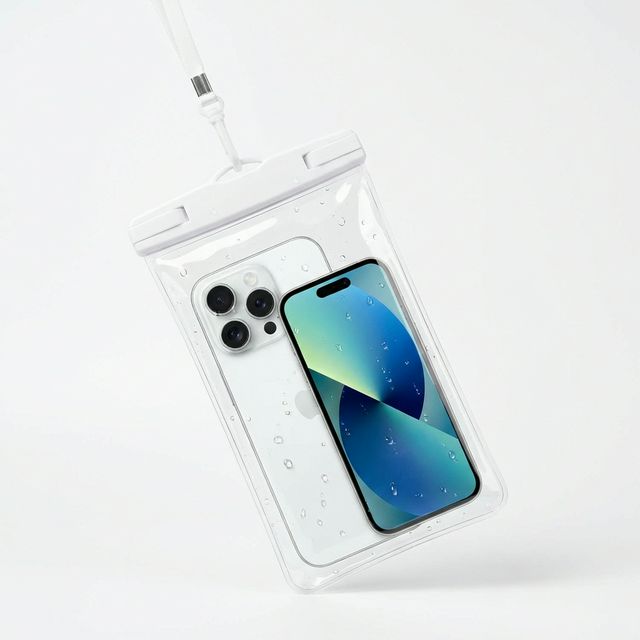
- A case with port covers or a waterproof pouch keeps dust out.
- Clean the port every few weeks during harmattan.
- Wipe the camera lens before taking photos. Dusty lenses give hazy pictures.
Frequently asked questions
Can I use hand sanitiser to clean my phone? A little on a cloth is fine for the back and sides, but some sanitisers contain oils and gels that leave smears or wear the screen's coating over time. Alcohol wipes are better.
Is it safe to clean a water-resistant phone under the tap? It's not worth the risk. Water resistance weakens with age and drops. Use a damp cloth instead.
How often should I clean my phone? Wipe it every few days, and clean the port whenever charging gets fussy.
Cases and pouches in stock
Buying from MachineWura
An online electronics store in Accra selling brand new and UK-used phones, laptops, creator gear and appliances.
Pay on Delivery in Accra
Inspect it at your door, then pay.
Checked before it ships
UK-used devices pass a 30-point check with at least 85% battery.
Fast delivery
24 hours in Accra, 2 to 3 days elsewhere in Ghana.
7-day returns
If it arrives defective or not as described.
Published November 20, 2026 · 3 min read