
Creators
Wireless Microphone buying guide
A wireless clip-on microphone records your voice clearly on a phone, even outdoors or a few steps from the camera. For most TikTok, Instagram and YouTube creators in Ghana, a two-microphone clip-on set with the right plug for your phone and a wind cover is the best first upgrade.
Updated · 3 min read
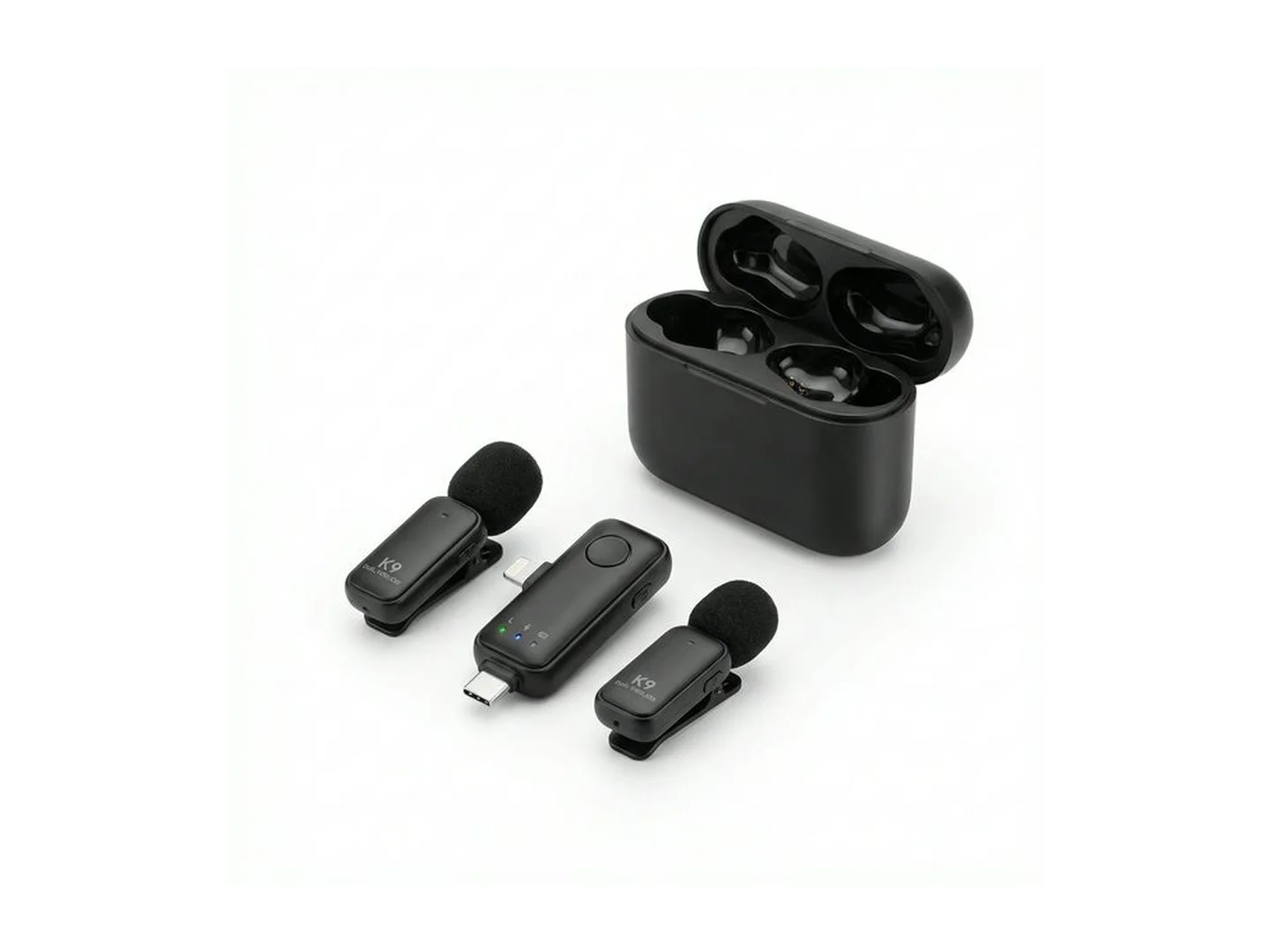
At MachineWura today
GH₵ 150 · 1 in stock
Quick answer
- If you talk in your videos, a microphone improves them more than a new phone or a new light.
- For most creators, a wireless clip-on set with two microphones is the right choice: one for you, one for a guest.
- The one thing you must get right is the plug. USB-C for iPhone 15 and newer and most Android phones; Lightning for iPhone 14 and older.
- Filming outdoors? Make sure the set comes with a wind cover (the small furry cap).
- Always record a ten-second test and listen back before a real shoot.
Why your phone's own microphone is not enough
Your phone's microphone picks up everything around it equally: traffic, fans, generators, people talking, wind. The further you stand from the phone, the quieter your voice gets and the louder everything else sounds.
A clip-on microphone sits a hand's width from your mouth. Your voice is loud and close, so the background fades. That is the whole secret.
Types of microphone
| Type | What it is | Best for | Not ideal for |
|---|---|---|---|
| Wireless clip-on | A small microphone clipped to your shirt, and a tiny receiver plugged into the phone | Talking videos, tutorials, street interviews, church and event clips | Singing loudly |
| Wired clip-on | The same idea with a long cable | Sitting at a desk, when you never want to charge anything | Walking around |
| Handheld | A stick microphone you hold | Interviews, MC work | Hands-free filming |
| Desk microphone (USB) | Stands on a table and plugs into a laptop | Podcasts, voice-overs, online classes | Filming away from the desk |
One microphone or two?
A two-microphone set costs a little more and saves you later. You can interview someone, film with a friend, or keep the second one as a spare when the first runs flat.
What to look for
The right plug. This is where most people go wrong. Look at your phone's charging port and match it.
Noise reduction. Many sets have a button that cuts steady background noise such as a fan or generator. It helps in noisy places. Turn it off in a quiet room, because it can make your voice sound thin.
Battery life and charging case. Ask how many hours the microphone runs. A set with a charging case tops itself up between shoots, like wireless earbuds.
Charging while recording. Some receivers have a second port so you can charge the phone while filming. Useful for long recordings and live streams.
Wind cover. Outdoors, wind hitting a bare microphone sounds like a roar. The furry cover fixes most of it.
How to get good sound
- Clip the microphone about a hand's width below your chin, on the outside of your clothes.
- Keep it away from necklaces, hair and anything that rubs.
- Push the receiver fully into the phone before opening the camera.
- Record ten seconds, listen with earphones, then start.
- Indoors, pick a room with curtains, a bed or a sofa. Empty rooms echo.
Common mistakes
- Buying the wrong plug. A Lightning receiver does not fit a USB-C phone.
- Clipping the microphone under a shirt. Cloth rubbing on it sounds like scratching.
- Not checking the battery. A flat microphone gives you a silent video.
- Leaving noise reduction on in a quiet room. Your voice loses its warmth.
- Skipping the test clip. You only discover the problem after the shoot.
Care
Keep the set in its case, away from dust and sweat. Wipe the microphone with a dry cloth. Charge it the night before a shoot, and do not leave it flat for months.
What to buy next
Once your sound is clear, add light: see our ring light guide. To keep the phone steady, read the tripod guide. Or start with everything at once using a creator kit.
Not sure which plug your phone needs? Message MachineWura on WhatsApp on 0550 314 351 with your phone model.
Wireless Microphone in stock at MachineWura
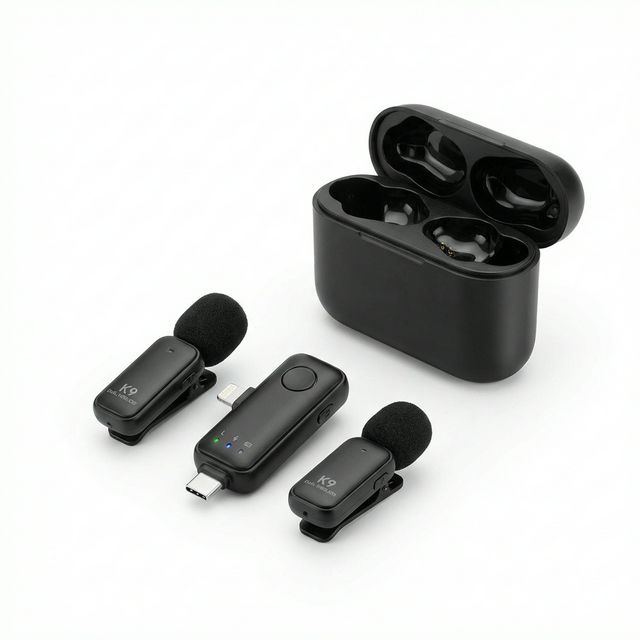
Typical wireless microphone specifications
| Types | |
|---|---|
| Clip-on (lavalier) | Clips to your shirt; best for talking videos |
| Handheld | For interviews and events |
| Desk (USB) | For podcasts and voice-overs at a table |
| Connection | |
| iPhone 15 and newer, most Android | USB-C plug |
| iPhone 14 and older | Lightning plug |
Questions people ask
Do I need a microphone for TikTok videos?
If you talk in your videos, yes. People will watch a slightly dark video, but they scroll past one they cannot hear. A clip-on microphone is usually the upgrade that makes the biggest difference for the least money.
Which wireless microphone works with my iPhone?
iPhone 15 and newer use a USB-C plug. iPhone 14 and older use a Lightning plug. Check the plug before you buy, or choose a set that includes both.
Can I use a wireless microphone with WhatsApp and phone calls?
Most clip-on sets are made for recording video and voice notes in the camera app. Many do not work for live phone calls. If you need it for calls or live streams, ask us before buying.
Why does my wireless microphone have a hissing sound?
The usual causes are a low battery, the microphone rubbing on clothing, or the receiver not pushed fully into the phone. Charge it, clip it where cloth does not brush it, and push the receiver in firmly.
How far can I stand from the phone?
Most small sets work well within a room or across a compound when nothing is between you and the phone. Walls and crowds shorten the distance, so test it where you plan to film.
Still deciding?
Tell us your budget and how you'll use it, and we'll tell you what's in stock and what we can source. WhatsApp 0550 314 351, or shop creators.