
How to Make Your Phone Battery Last Longer (Pro Tips)
Stop your battery from dying before your day does
There’s nothing more frustrating than your phone dying when you need it most. Whether you're working, creating content, or just staying connected, battery life is everything.
The good news? Most battery drain issues come from simple habits you can fix immediately.
Here’s how to make your phone battery last longer without sacrificing performance.
1. Stop Charging to 100% All the Time
It sounds strange, but keeping your battery at 100% constantly can actually reduce its long-term health.
What to do instead:
Keep your battery between 20% and 80%
Avoid overnight charging (when possible)
Modern smartphones from Apple and Samsung are optimized for this range.
2. Use Dark Mode (Especially on OLED Screens)
Dark mode isn’t just aesthetic it saves real battery power, especially on OLED displays.
Why it works:
Dark pixels use less power than bright ones
Less strain on your eyes too
This is especially effective on newer iPhones and Samsung Galaxy devices.
3. Lower Your Screen Brightness
Your screen is the biggest battery drainer.
Quick fixes:
Reduce brightness manually
Turn on auto-brightness
Lower screen timeout duration
Even a small reduction can significantly extend battery life.
4. Turn Off What You’re Not Using
A lot of features run in the background even when you’re not using them.
Turn off when not needed:
Bluetooth
Location services
Wi-Fi (when you're out)
Mobile hotspot
These quietly drain your battery all day.
5. Manage Background Apps
Some apps keep running even after you close them.
What to do:
Check battery usage in settings
Restrict background activity for heavy apps
Close apps you’re not using
Social media and streaming apps are usually the biggest culprits.
6. Reduce Notifications
Every notification lights up your screen and that adds up.
Pro tip:
Turn off unnecessary notifications
Keep only what matters (calls, messages, essential apps)
7. Avoid Heat (Your Battery’s Biggest Enemy)
Heat can damage your battery permanently.
Avoid:
Leaving your phone in the sun
Gaming while charging
Using cheap chargers
Always use quality accessories to protect your device.
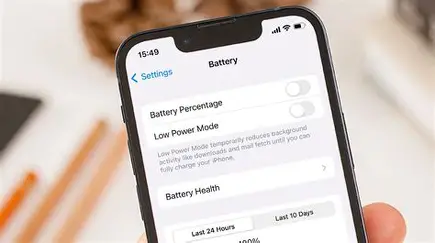
8. Use Battery Saver Mode
When your battery is low, this is your best friend.
What it does:
Reduces background activity
Limits performance slightly
Extends battery life significantly
Use it when you're below 30% or in emergencies.
9. Use Original or High-Quality Chargers
Cheap or fake chargers can:
Damage your battery
Charge slower
Overheat your phone
Always go for trusted accessories this protects both your battery and your phone.
10. Update Your Software
Sometimes battery drain isn’t your fault it’s software.
Why updates matter:
Fix bugs
Improve battery optimization
Enhance performance
Always keep your device updated.
Bonus Tip: Know When to Replace Your Battery
If your battery drains too fast even after all these tips, it might be time for a replacement.
Signs include:
Battery dropping suddenly
Phone overheating easily
Charging taking too long
Keep Your Phone Running Longer with Machinewura
At Machinewura, we help you get the most out of your devices with:
Original chargers & accessories
Power banks for backup on the go
Latest smartphones from Apple and Samsung
Final Thoughts
Battery life isn’t just about your phone it’s about your habits.
Make a few small changes today, and you’ll notice a big difference in how long your battery lasts.
Because at the end of the day, a smarter user = a longer-lasting device.
Looking for the best deals?
Browse our full collection of verified tech — with Pay on Delivery in Accra and a 30-point check on every pre-owned device.
Thanks for reading!
Published April 11, 2026 · 3 min read