Creators
External SSD vs Hard Drive in Ghana: Which Should You Buy for Work, School and Creators?
External SSD vs HDD in Ghana: speed differences, durability during commutes, editing 4K video, Mac + Windows formatting (exFAT), and spotting fake drives.
MachineWura Team
November 12, 2026 · 3 min read
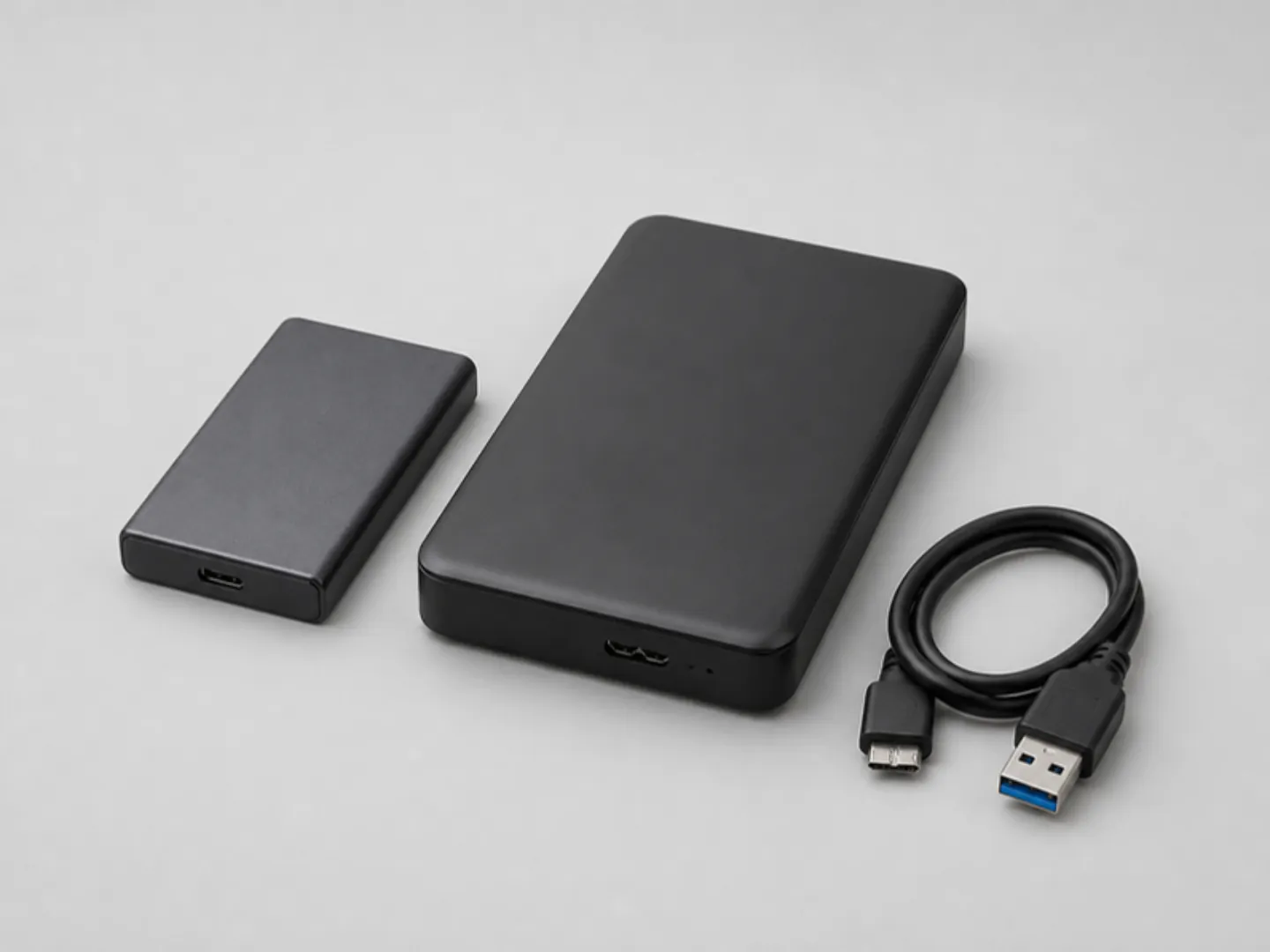
If you carry your drive in a backpack, edit video or photos, or run large project files, buy an external SSD: it has no moving parts to break if dropped, and transfers files 5 to 10 times faster than a spinning hard drive. Buy a traditional external HDD (hard disk drive) only when you need cheap bulk storage (2 TB to 5 TB+) for cold archives—movies, completed client backups, or family photo libraries—that mostly stay on a desk.
Updated November 2026. Practical storage guide for students, office teams, photographers, and video editors in Ghana.
The quick answer
| Feature | External SSD (e.g. SanDisk Extreme, Samsung T7) | External HDD (e.g. WD Elements, Seagate Expansion) |
|---|---|---|
| Transfer speed | 500 MB/s – 2,000 MB/s | 100 MB/s – 140 MB/s |
| Drop resistance | High (solid-state flash, no moving parts) | Low (spinning magnetic platter can fail from one drop) |
| Best capacity value | 500 GB – 2 TB | 2 TB – 5 TB+ |
| Video editing directly off drive | Smooth (1080p & 4K ProRes/H.265) | Stutters on multi-layer 4K timelines |
| Power draw during outages | Very low (runs cleanly off laptop battery) | Slightly higher (spins a motor) |
Why SSDs survive Ghana commutes better
A traditional HDD contains a tiny glass or aluminium platter spinning at 5,400 RPM with a read/write head hovering nanometres above it. One hard knock inside a trotro or backpack while the drive is still spinning down can cause clicking ("the click of death") and permanent data loss.
An external SSD stores data on flash memory chips—just like the NVMe drive inside a modern MacBook or EliteBook. You can toss it into a pouch right after ejecting it without worrying about mechanical shock.
For creators and students: speed saves hours
Consider transferring a 40 GB wedding shoot or Premiere Pro project:
- On a 120 MB/s HDD: ~5.5 to 7 minutes.
- On a 1,000 MB/s USB 3.2 Gen 2 SSD: ~40 to 50 seconds.
Better still, with a fast external SSD you can edit 4K footage directly from the drive without filling up your MacBook's internal storage.
Mac + Windows users: format as exFAT
Out of the box, many drives come formatted as NTFS (Windows can read/write, Mac can only read) or APFS/HFS+ (Mac only). If you move files between a MacBook and Windows PCs at work or school, format the drive as exFAT before loading data onto it—both macOS and Windows read and write to exFAT natively without third-party software.
Warning: how to spot fake "2 TB / 16 TB" cheap SSDs
Online marketplaces have flooded the market with counterfeit portable "SSDs" advertised at 4 TB, 8 TB, or 16 TB for the price of a flash drive. Inside, they contain a cheap 32 GB SD card programmed to report fake capacity to Windows/macOS—meaning your files silently overwrite each other and corrupt once you pass 32 GB.
Stick to known brands (Samsung T7/T9, SanDisk Extreme, Crucial X9, WD My Passport SSD) from trusted sellers, and test any new drive by copying a large folder of real files and checking that they still open properly.
See our External Storage guide or browse Accessories in stock at MachineWura.
Storage and accessories in stock

Buying from MachineWura
An online electronics store in Accra selling brand new and UK-used phones, laptops, creator gear and appliances.
Pay on Delivery in Accra
Inspect it at your door, then pay.
Checked before it ships
UK-used devices pass a 30-point check with at least 85% battery.
Fast delivery
24 hours in Accra, 2 to 3 days elsewhere in Ghana.
7-day returns
If it arrives defective or not as described.
Published November 12, 2026 · 3 min read