7 Clear Signs the iPhone You’re About to Buy Is Fake
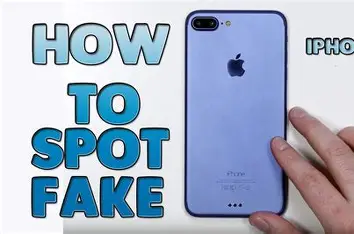
Clone iPhones in Ghana have become scarily convincing. Some look so real that even experienced sellers have been fooled.
But no matter how good the imitation is, there are always signs.
You just need to know where to look.
The Clone Phone Problem in Ghana
Clone iPhones are designed to copy the look, feel, and even the interface of real iPhones. Most are built with cheaper components and run a modified version of Android that mimics iOS.
In places like Kwame Nkrumah Circle and across online marketplaces, these devices circulate quietly, often mixed in with genuine stock.
The challenge is that clones have improved.
Some now match the exact weight, design, and colour of real iPhones. At a glance, you won’t notice anything wrong. That’s why surface-level checks are no longer enough you need to go deeper.
Sign 1: The Price Is Too Good to Be True
This is usually the first and most obvious signal.
iPhones hold their value extremely well. If you see a deal that looks far below the normal market range, something is wrong.
A device priced significantly lower than what’s typical in markets like Accra should immediately raise suspicion.
Scammers rely on that “too good to miss” feeling. Once you start rushing because of price, you stop checking properly and that’s where they win.
Sign 2: The Box Looks Off
Apple packaging is precise and premium. The box should feel solid, the print should be sharp, and everything should align perfectly.
If the box feels light, flimsy, or slightly off in design, take a closer look.
Pay attention to the IMEI on the box and compare it with the one on the phone. If they don’t match exactly, something has been swapped—and that’s a major red flag.
Even small inconsistencies in text spacing or print quality can tell you the box isn’t original.
Sign 3: The Settings Menu Feels Wrong
This is where many clones start to fail.
Open the Settings app and navigate to the “About” section. On a real iPhone, everything loads instantly and looks clean and consistent.
On a fake device, you may notice delays, missing information, strange model names, or menus that don’t respond properly.
Also check the software update section. A genuine iPhone will connect to Apple’s system and check for updates. A clone often shows errors or fake update screens that lead nowhere.
When the software experience feels off, trust that instinct.
Sign 4: Face ID or Touch ID Doesn’t Work Properly
Apple’s biometric systems are difficult to replicate.
Face ID on a real iPhone is fast, accurate, and works even in low light. On a clone, it may fail to set up, respond slowly, or unlock for the wrong face entirely.
Touch ID follows the same pattern. On genuine devices, it’s quick and reliable. On clones, it’s often inconsistent and requires repeated attempts.
These features are not just extras they’re strong indicators of authenticity.
Sign 5: The Camera Quality Is Poor
iPhone cameras are known for consistency and quality, even on older models.
Take a few photos and examine them carefully. Real iPhones produce sharp images with balanced colours and fast processing.
Clone cameras tend to produce soft, overly processed, or unnatural-looking photos. Portrait mode, if it exists, usually looks rough and unrealistic.
The front camera is often the weakest point on fake devices grainy, dull, and struggling in anything less than bright light.
Sign 6: The IMEI Doesn’t Match Apple’s Database
This is one of the most reliable checks you can perform.
Dial *#06# to get the IMEI, then verify it through Apple’s official coverage checker.
A real iPhone will show its model details and warranty status. If the system cannot recognise the number, the device is either fake or has been tampered with.
Always perform this check yourself, using your own internet connection. Don’t rely on the seller to do it for you.
Sign 7: The Seller Discourages Verification
Sometimes the biggest red flag isn’t the phone it’s the person selling it.
A genuine seller will allow you to test everything without pressure. They understand that verification is part of the process.
A seller with a fake device will behave differently. They may rush you, avoid certain checks, or try to distract you with irrelevant details.
If someone makes you feel uncomfortable for asking questions or verifying the phone, that alone is enough reason to walk away.
What to Do If You’ve Already Bought a Fake iPhone
If you’ve already made the purchase and later realise the phone is fake, act quickly.
Gather evidence immediately photos of the phone, the box, the IMEI, and any communication with the seller.
Reach out to the seller and request a refund, clearly stating the issues you’ve identified.
If that fails, report the situation to the Ghana Police Service and the Consumer Protection authorities.
Sharing your experience on platforms and community groups can also help prevent others from falling into the same trap. MachineWura verifies every device before sale and offers pay on delivery in Accra and Kumasi so you can check the phone yourself before paying.
Final Thought
The best way to avoid clone iPhones is simple—never skip verification.
No matter how convincing the phone looks or how attractive the price is, always run your checks.
Because in today’s market, the difference between a genuine iPhone and a fake one isn’t how it looks it’s how carefully you inspect it before you pay.
The best protection, of course, is never buying from unverified sources in the first place. MachineWura verifies every device before sale and offers pay on delivery in Accra and Kumasi so you can check the phone yourself before paying.
👉 Shop verified original iPhones at MachineWura
Related reads: How to Know If Your iPhone Is Original in Ghana · How to Check If an iPhone Is Stolen Before You Buy It · Is It Safe to Buy a Phone Online in Ghana?
Looking for the best deals?
Browse our full collection of verified tech — all with pay-on-delivery and a 30-day warranty.
Thanks for reading!
Published March 11, 2025 · 5 min read