
Laptops · Apple, 2026
MacBook Neo price in Ghana and specs
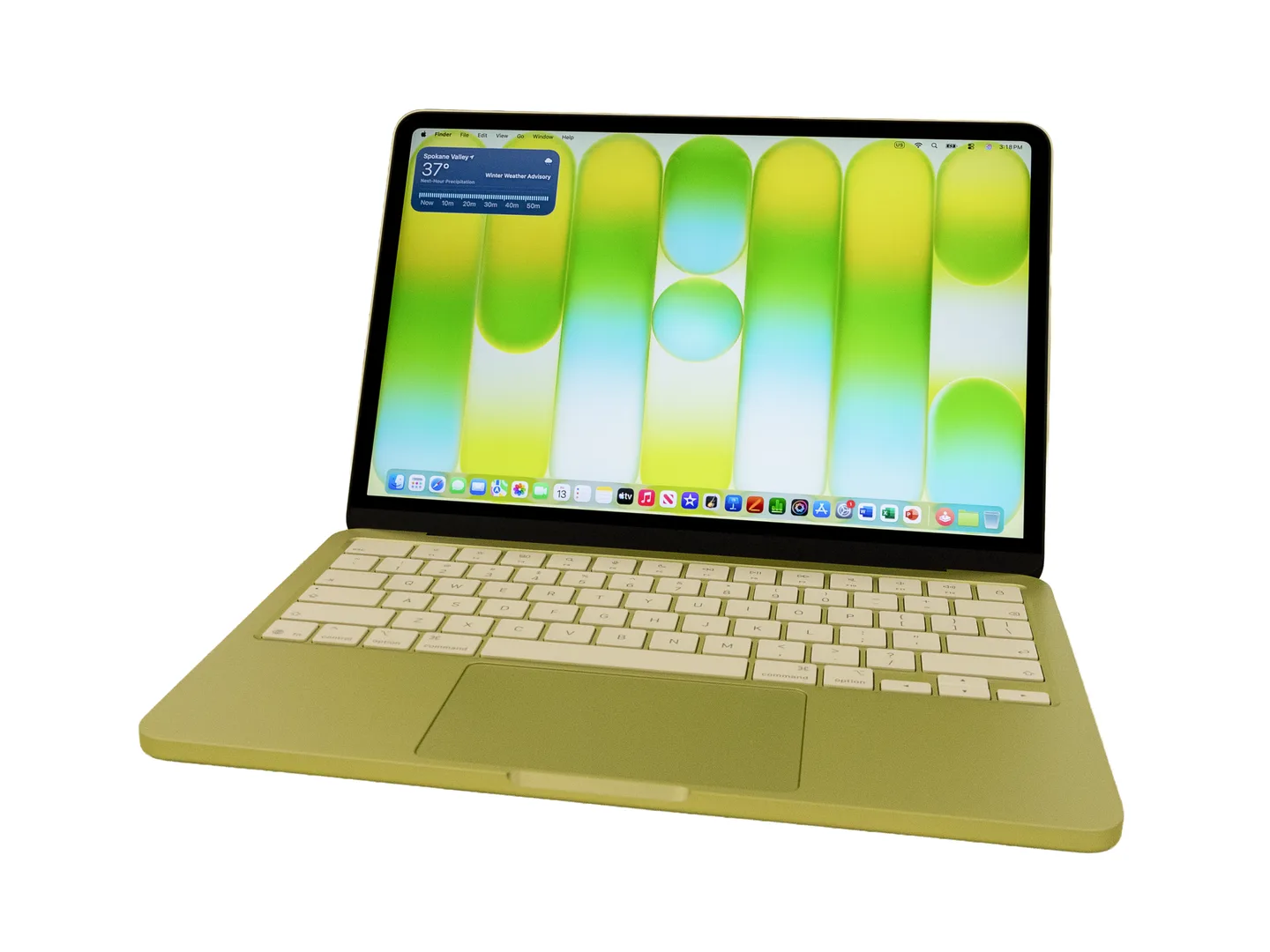
The MacBook Neo is Apple's cheapest new MacBook, launched in early 2026 with the same chip as the iPhone 16 Pro. It is a light 13-inch laptop for school, office work and browsing, with 8 GB of memory that cannot be upgraded and no keyboard light.
Updated · 5 min read
At MachineWura today
Not in stock · we can source one
Typical market price: GH₵ 8,500 new (checked November 2026)
Quick answer
- Who it suits: students, office workers, parents buying a first laptop, and anyone who wants a new Mac without paying MacBook Air prices.
- Biggest strength: it is brand new, with a fresh battery, a warranty and years of software updates ahead, for roughly what a good used MacBook used to cost.
- Biggest weakness: 8 GB of memory that can never be upgraded, no keyboard light, and a small charger.
- Pick the 512 GB model if you can: double the space, and it adds fingerprint unlock.
- Consider instead: a MacBook Air M4 or MacBook Air M5 if you will edit video or keep many apps open, or a used MacBook Air M1 if every cedi counts.
What is the MacBook Neo?
The MacBook Neo is a 13-inch laptop Apple launched in early 2026 to sit below the MacBook Air. Instead of an M-series chip, it uses the A18 Pro, the same chip that powers the iPhone 16 Pro. That keeps the cost down while still giving quick, smooth performance for everyday work.
It comes in four colours (Silver, Blush, Citrus and Indigo) and weighs 1.23 kg, the same as a 13-inch MacBook Air. Apple raised its price in mid-2026 because memory chips became more expensive worldwide, but it is still the cheapest new MacBook by a wide margin.
Is the MacBook Neo worth buying in 2027?
For most students and office users, yes. Typing assignments, building slides, running spreadsheets, joining Zoom or Teams calls, watching lectures and streaming all feel fast. Because it is the newest kind of Apple chip, it will keep getting macOS updates for many years, which matters more than raw speed for a laptop you want to keep through a four-year degree.
Be honest about three limits before you buy:
- Memory. 8 GB is fine for everyday work but cannot be upgraded. If you plan to edit video, design in big files or keep dozens of browser tabs and apps open, spend more on a MacBook Air with 16 GB.
- No keyboard light. In a dark room or at night during dumsor, the keys are hard to see.
- Ports. It has two USB-C ports, but only one is fast. The other copies files slowly and cannot connect a monitor.
See how it stacks up against older options in our MacBook Neo buying guide for 2027.
Key specs in plain words
| Spec | What it is | What it means for you |
|---|---|---|
| Chip | Apple A18 Pro | Quick for school, office and browsing; same chip family as recent iPhones |
| Memory | 8 GB, fixed | Fine for everyday work; cannot be upgraded later |
| Storage | 256 GB or 512 GB | 256 GB fills up with photos and videos; 512 GB gives breathing room |
| Screen | 13-inch, sharp, 500 nits brightness | Clear and bright indoors; usable in shade outdoors |
| Battery | Up to 16 hours of video | A full day of lectures or office work on a healthy battery |
| Charger | 20 W in the box | Slow; a 30 W USB-C charger fills it faster |
| Ports | One fast USB-C, one slow USB-C, headphone jack | Plug your monitor and fast drives into the left fast port |
| Keyboard | No backlight; Touch ID on 512 GB only | Harder to type in the dark |
| Weight | 1.23 kg | Easy to carry around campus |
MacBook Neo vs MacBook Air
| MacBook Neo | MacBook Air M5 | |
|---|---|---|
| Chip | A18 Pro | M5 |
| Memory | 8 GB | 16 GB or more |
| Storage | 256 GB or 512 GB | 512 GB or more |
| Keyboard light | No | Yes |
| Fingerprint unlock | 512 GB model only | Yes |
| External screens | One | Two |
| Charging | USB-C only | MagSafe magnetic plug plus USB-C |
| Price in Ghana | About half | About double |
Verdict. The Air is the better laptop in every way, but it costs roughly twice as much. If your work is documents, browsing and calls, the Neo does the job and leaves money for a power bank and a UPS. If you create content or need the laptop to stay fast for five years of heavy work, stretch to the Air.
Buying a MacBook Neo in Ghana
Because the Neo is new, most units on sale in Ghana are brand new. Used units are starting to appear, often at only a little below the new price, which rarely makes sense: you lose the warranty to save a few hundred cedis.
When buying new, insist on a sealed box, a receipt and a warranty. Check the serial number on Apple's Check Coverage website. Confirm the box label shows 8 GB memory and the storage you paid for, because the 256 GB and 512 GB boxes look the same from the front.
If you do buy used, run every check in our used MacBook checklist, especially Activation Lock and company Remote Management.
Power, charging and dumsor
A healthy Neo battery lasts a full working day of documents and browsing, so short outages will not stop you.
The included 20 W charger is the weak point. It fills the battery slowly, which hurts when light only returns for an hour or two. A 30 W USB-C charger, or a power bank with a 30 W USB-C output, charges it as fast as it can go. A portable power station with a USB-C port works well too.
The charger accepts 100 to 240 volts and draws very little power, so it runs happily on a small inverter or generator. Use a surge protector on unstable mains.
Accessories worth getting
- A 30 W USB-C charger for faster top-ups. See our fast charger guide.
- A small USB hub with a regular USB port and HDMI, plugged into the fast left port.
- A USB desk lamp or clip light, because the keyboard has no backlight.
- A padded sleeve to keep out harmattan dust.
- An external drive for backups if you choose 256 GB. See external storage.
Want a MacBook Neo that has already been checked? See MacBooks at MachineWura, compare current MacBook Air prices and MacBook Pro prices, or message us on WhatsApp on 0550 314 351.
Typical macbook neo specifications
| Display | |
|---|---|
| Screen | 13-inch Liquid Retina, 500 nits |
| Performance | |
| Chip | Apple A18 Pro (6-core CPU, 5-core GPU) |
| Memory & Storage | |
| Memory | 8 GB (fixed) |
| Storage | 256 GB or 512 GB |
| Battery | |
| Battery life | Up to 16 hours video, 11 hours web |
| Charger | 20 W USB-C (charges at up to 30 W) |
| Ports | |
| Connections | One fast USB-C, one slow USB-C, headphone jack |
| Design | |
| Weight | 1.23 kg |
| Colours | Silver, Blush, Citrus, Indigo |
| Touch ID | 512 GB model only |
Compare the MacBook Neo
Questions people ask
Is the MacBook Neo good for university in Ghana?
Yes, for most courses. It handles Word, PowerPoint, Excel, research, Zoom and streaming easily and the battery lasts a full day of lectures. It is not the right pick for engineering software that only runs on Windows, or for heavy video editing.
Is 8 GB of memory enough on the MacBook Neo?
For documents, browsing with a sensible number of tabs, calls and light photo editing, yes. It cannot be upgraded later, so if you already know you will edit video or run many heavy apps at once, a MacBook Air with 16 GB is the safer buy.
Is the MacBook Neo better than a used MacBook Air M1?
For a buyer who wants years of use, usually yes: it is brand new with a fresh battery and warranty, and it will get software updates for longer. A good used M1 Air is cheaper, has a backlit keyboard and two fast ports, so it suits buyers on the tightest budget.
Does the MacBook Neo have a backlit keyboard?
No. Apple left the keyboard light out to keep the price down, so typing in a dark room or during a night-time outage is harder. A small USB lamp helps.
Why does the MacBook Neo charge slowly?
It comes with a small 20 W charger. It can charge faster, up to 30 W, from a stronger USB-C charger or power bank, which is worth buying if you rely on short bursts of power during dumsor.
Can the MacBook Neo connect to a TV or monitor?
Yes, one screen at up to 4K, but only through the left-hand fast USB-C port. The other USB-C port is slow and cannot run a screen.
Still deciding?
Tell us your budget and how you'll use it, and we'll tell you what's in stock and what we can source. WhatsApp 0550 314 351, or shop laptops.