Laptops
Best Laptops for Engineering Students in Ghana (2026), With Prices
Which laptop runs AutoCAD, SolidWorks, MATLAB and Revit? Laptops for each engineering course with prices, plus MacBook limits, heat and power cuts.
MachineWura Team
October 22, 2026 · 18 min read

Most engineering students should buy a Windows laptop with 16GB of memory. For civil, mechanical and architecture students who build 3D models, it also needs a separate graphics card, the part that draws 3D drawings smoothly. Electrical, computer and first-year students can usually do without one, and a good business laptop from about ₵4,600 is enough. Avoid MacBooks unless you have checked your course software first, because SolidWorks, Revit, ANSYS and Civil 3D do not run on them. This guide shows which laptop suits your course, with prices from our store, and how to keep it working through Ghana's heat and power cuts.
Updated November 2026.
Quick answer
These rules hold for most engineering degrees.
- Windows, not Mac, unless every program on your course list also runs on a Mac.
- 16GB of memory (RAM) at least. Memory decides how big a drawing or model the laptop can open without freezing. Final-year projects can need 32GB.
- 512GB of storage, so your software and project files fit with room to spare.
- A separate graphics card (NVIDIA or AMD) if you build 3D models in SolidWorks, Revit or similar. You don't need one for 2D AutoCAD, MATLAB or programming.
- Good cooling. A laptop that stays cool keeps its speed through long sessions in a hot room.
Engineering laptops we recommend, with prices
Prices are from our store at the time of writing and may change; click through for today's price and full details. Every pre-owned laptop is tested before it is listed.
| Laptop | Price | Good for | Why |
|---|---|---|---|
| Dell Latitude 7400 14" | ₵3,999 | First year, electrical, computer engineering on a tight budget | 16GB memory and a Core i7 at a low price; touchscreen |
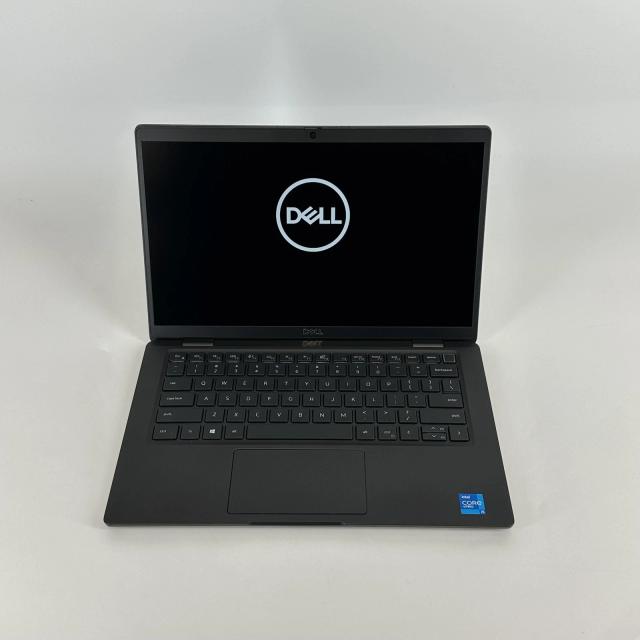
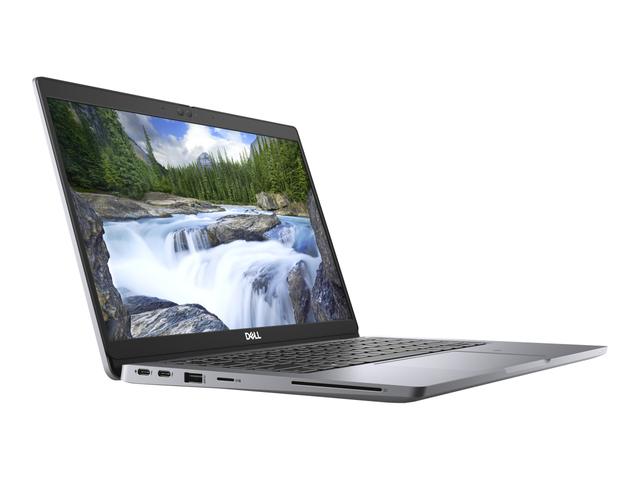
| Dell Latitude 5320 | ₵4,599 | Electrical, computer, chemical; 2D AutoCAD and MATLAB | 11th-generation Core i5 with 16GB memory; light enough to carry to lectures every day |
| Dell Latitude 7320 | ₵5,299 | The same courses, with more speed and space | 11th-generation Core i7, 16GB memory and 512GB storage; small and tough |
| Dell G15 Gaming | ₵11,000 | Civil, mechanical, architecture: SolidWorks, Revit, 3D models and rendering | Has an NVIDIA RTX graphics card for smooth 3D work, and strong cooling for long sessions |
| MacBook Air M2 | ₵13,200 | Electrical, computer and biomedical students whose software all runs on a Mac | Very long battery life for power cuts, silent, fast for MATLAB and programming |
For 3D-heavy courses, check that the laptop you choose has 16GB of memory or more before you pay, and ask us if you are unsure. You can browse every option on our laptops page, or send your course and software list to us on WhatsApp and we will tell you which laptop fits.
What software does your engineering discipline use?
Get the software list for all years of your course, not only year one. Requirements rise in the later years, when design projects and simulations get larger.
| Discipline | Common software | Runs on macOS? | Graphics card needed? |
|---|---|---|---|
| Civil and structural | AutoCAD, Civil 3D, Revit, ETABS, SAP2000, ArcGIS Pro, MATLAB | AutoCAD and MATLAB yes; Civil 3D, Revit, ETABS, SAP2000, ArcGIS Pro no | Yes, for Revit and 3D models |
| Mechanical, aerospace, manufacturing | SolidWorks, AutoCAD, ANSYS, MATLAB and Simulink, Fusion 360 | Fusion 360, AutoCAD and MATLAB yes; SolidWorks and ANSYS no | Yes |
| Electrical and electronic | MATLAB and Simulink, Multisim, Proteus, LTspice, Arduino IDE, Quartus or Vivado | MATLAB, LTspice and Arduino IDE yes; Multisim, Proteus, Quartus and Vivado no | Usually no |
| Chemical, petroleum, materials | MATLAB, Aspen HYSYS or Aspen Plus, ANSYS, Excel | MATLAB yes; Aspen and ANSYS no | Only for ANSYS Fluent and similar |
| Architecture | Revit, AutoCAD, SketchUp, ArchiCAD, Rhino, Lumion, Twinmotion | AutoCAD, SketchUp, ArchiCAD, Rhino and Twinmotion yes; Revit and Lumion no | Yes, for rendering |
| Computer and biomedical | MATLAB, Python, C and C++, LabVIEW | Mostly yes | Usually no |
| Geomatics | ArcGIS Pro, QGIS, AutoCAD Civil 3D | QGIS yes; ArcGIS Pro and Civil 3D no | Helpful for 3D work |
If your university provides a licence for MATLAB, MATLAB Online also runs in a web browser, which helps on a weaker laptop. Autodesk and Dassault Systèmes offer education licences, so you rarely need to buy the software itself.
Laptop requirements for AutoCAD, SolidWorks, MATLAB, ANSYS and Revit
Each program stresses a different part of the laptop. Use the vendor's published system requirements for the version your department uses, and treat these notes as a guide to what matters in practice.
AutoCAD
AutoCAD 2D drafting is light: a modern quad-core processor, 16 GB of RAM and integrated graphics such as Intel Iris Xe run it well. Autodesk's requirements for recent releases list 8 GB as the basic memory level and 16 GB as recommended. Most AutoCAD commands use one processor core, so high clock speed helps more than many cores. A dedicated graphics card helps once you work with 3D solids and shaded views. AutoCAD for Mac exists, but some features and the specialised toolsets (Civil 3D and others) are Windows only.
SolidWorks
SolidWorks runs only on 64-bit Windows, and running it on a Mac through a virtual machine is not a supported setup. Its published requirements ask for 16 GB of RAM or more. Part modelling and rebuilds are mostly single-threaded, so a processor with a high clock speed matters; rendering and simulation add-ins use more cores. SolidWorks certifies workstation graphics cards (NVIDIA RTX professional and AMD Radeon Pro lines). Consumer NVIDIA GeForce cards run student-sized parts and assemblies in most cases, but some visual features may be limited, so set your expectations for large assemblies.
MATLAB and Simulink
MATLAB runs natively on Windows, macOS (including Apple Silicon in recent releases) and Linux. MATLAB on its own runs comfortably in 8 GB of RAM; large matrices, image processing and Simulink models push you to 16 GB. Many MATLAB functions use several processor cores automatically, so a 6 or 8 core processor shortens long scripts. A graphics card is needed only for GPU computing with the Parallel Computing Toolbox, which supports NVIDIA cards.
ANSYS
ANSYS runs on Windows and Linux, not macOS, and the free ANSYS Student products are Windows only. Simulation is the most demanding task in an engineering degree: meshing and solving use many cores and large amounts of RAM, and memory is often the limit on how fine a mesh you can solve. Plan on 16 GB as a floor, with 32 GB preferred for final-year projects. Some solvers, including parts of Fluent, can use NVIDIA graphics cards.
Revit
Revit runs only on Windows. Autodesk lists 8 GB of RAM as a minimum and 16 GB as recommended, and large building models use far more. Many Revit operations use a single core, so clock speed counts, while rendering uses all cores. A dedicated graphics card with 4 GB or more of video memory keeps 3D views smooth. Students who also use Lumion or Twinmotion for visualisation need a stronger graphics card, ideally with 6 to 8 GB of video memory.
How powerful does the laptop need to be?
It depends on what you do on the laptop. Two parts matter most: the processor, which does the calculations, and the graphics card, which draws your models on screen.
| What you do | What matters most | What to look for |
|---|---|---|
| 2D drawings (AutoCAD) | A reasonably fast processor | Any recent Core i5 or Ryzen 5; no graphics card needed |
| 3D parts and machines (SolidWorks, Fusion 360) | Fast processor and a graphics card | Core i7 or Ryzen 7 "H" model, with a graphics card |
| Building models (Revit) | Fast processor, lots of memory, graphics card | "H" processor, 16GB to 32GB memory, graphics card |
| Simulations (ANSYS, Simulink) | Lots of processor power and memory | 32GB memory for final-year work |
| Realistic renders (Lumion, Twinmotion) | A strong graphics card | A graphics card with 6GB to 8GB of its own memory |
| MATLAB and programming | Processor and memory | 16GB memory |
Processor
Look at the letter at the end of the processor's model number. Processors ending in "H" are built for power and stay fast during long modelling sessions. Those ending in "U" are built to save battery and slow down sooner under heavy work. That is why a Core i7 "U" can feel slower in SolidWorks than a Core i5 "H". For 3D work, an 11th-generation or newer Core i7 H or Ryzen 7 H is a good starting point.
Graphics card
Most business laptops use graphics built into the processor. That is fine for 2D AutoCAD, MATLAB and simple 3D. For 3D models, building design and rendering, get a laptop with a separate graphics card: an NVIDIA RTX 3050 or better is a sensible start for student work. Gaming laptops are often the cheapest way to get one. Two laptops with the same graphics card can still perform differently; the one with better cooling usually stays faster.
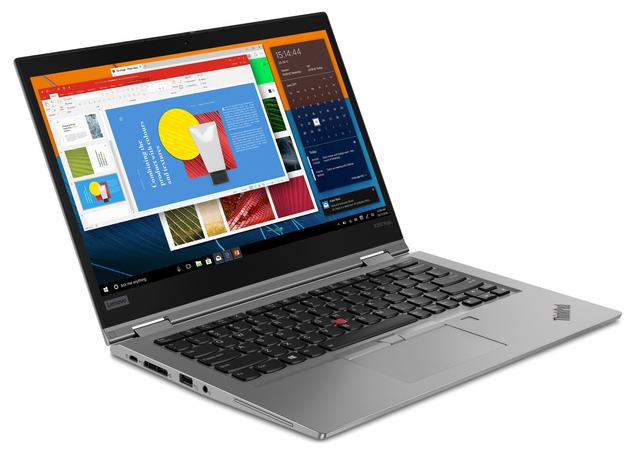
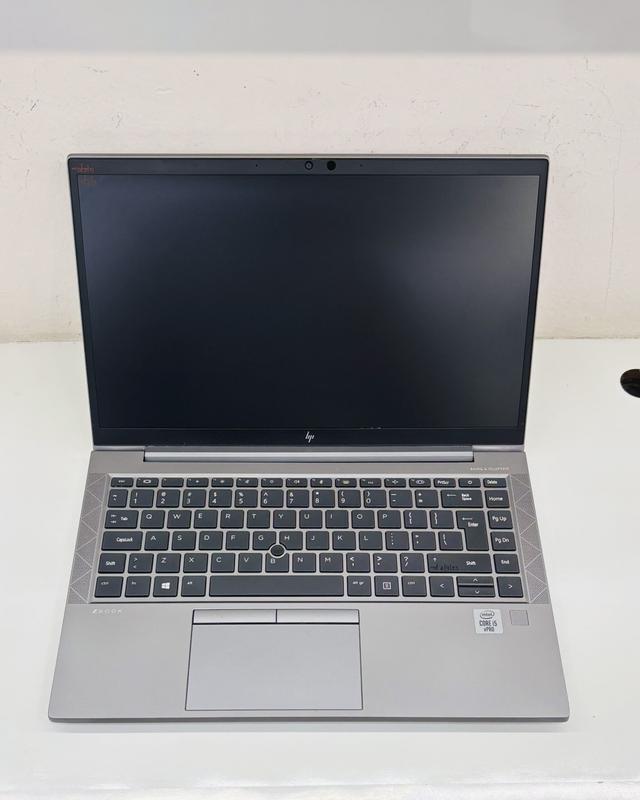
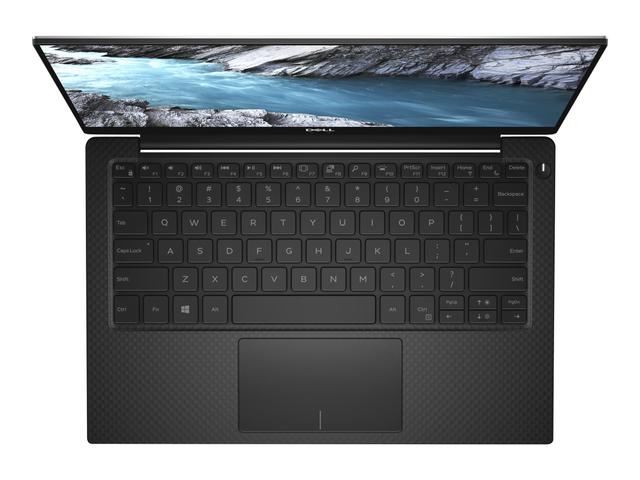
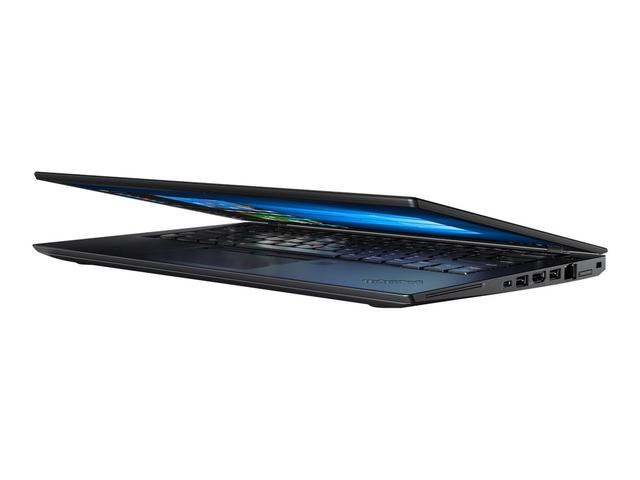
The Dell XPS 15 9530 pairs a 13th generation Intel H-series processor with an optional NVIDIA RTX graphics card in a slim body, and two memory slots. Thinner business laptops such as the HP EliteBook 840 G8 and Lenovo ThinkPad T14 Gen 2 have integrated graphics and suit electrical, computer and first-year students whose work is mostly MATLAB, programming and 2D CAD. For heavy 3D and rendering on a budget, a gaming laptop gives the most graphics power for the money.
How much memory and storage do you need?
Memory (RAM) is how much the laptop can work on at once. Buy 16GB at least, and if possible a laptop where more can be added later. Engineering software loads your whole model into memory; when it runs out, the program freezes or crashes and you can lose unsaved work.
Worked example: a third-year mechanical design session.
| What is running | Typical memory use |
|---|---|
| Windows 11 and background services | 3 to 4 GB |
| SolidWorks with a 150-part assembly | 4 to 8 GB |
| Browser with lecture notes and supplier catalogues | 1.5 to 3 GB |
| Excel calculation sheet and a PDF of the brief | 0.5 to 1 GB |
| Teams or Zoom group call | 0.5 to 1 GB |
| Total | 9.5 to 17 GB |
These are rough, typical ranges; open Task Manager during your own work to see yours. On 8GB this session slows to a crawl. On 16 GB it fits if you close spare tabs. Adding an ANSYS simulation of the same assembly can need another 8 to 16 GB, which is why 32 GB suits final-year projects.
For storage, choose 512GB. SolidWorks, Revit, MATLAB with toolboxes and ANSYS can each take 10 to 30 GB once installed, and project files, renders and simulation results add more. Keep a cloud copy or an external drive for project backups; losing a final-year project to a failed drive or a stolen bag is far worse than a slow laptop.
Can you use a MacBook for engineering?
Only if every program on your course list runs on macOS, which rules out most civil, mechanical and architecture students. Apple Silicon MacBooks (M1, M2, M3 and later) use ARM chips and cannot install Windows through Boot Camp, so you cannot switch to Windows natively when a Windows-only program appears.
| Software | Windows | macOS |
|---|---|---|
| AutoCAD | Yes | Yes, with some features missing |
| Civil 3D | Yes | No |
| SolidWorks | Yes | No |
| Revit | Yes | No |
| ANSYS (including Student) | Yes | No |
| ETABS and SAP2000 | Yes | No |
| MATLAB and Simulink | Yes | Yes |
| Fusion 360 | Yes | Yes |
| SketchUp, Rhino, ArchiCAD | Yes | Yes |
| Proteus and Multisim | Yes | No |
| Python, C, C++ | Yes | Yes |
Running the ARM version of Windows in a virtual machine (software such as Parallels Desktop) works for some light Windows programs, but heavy CAD and simulation tools are not supported by their vendors in that setup, and graphics performance is limited. Do not plan a degree around it.
A MacBook Air M2 or MacBook Air M3 works well for electrical, computer and biomedical students whose software is MATLAB, Python, LTspice and Arduino, and for architecture students who use ArchiCAD, Rhino and SketchUp. For the full platform comparison, read MacBook vs Windows laptops in Ghana.
Keeping your laptop cool in Ghana's heat
Heat is the hidden limit on engineering laptops in Ghana. A laptop fan cools the processor with room air, so on a day above 30°C the same laptop has less cooling headroom than in a cool office. When the laptop gets too hot, it slows itself down to avoid damage, and a 20-minute render can take much longer.
How to keep an engineering laptop cool
- Use a hard, flat surface. Beds, pillows and laps block the intake vents underneath.
- Raise the back edge. A laptop stand or even a book under the rear lets more air reach the fans.
- Clean the vents. Harmattan dust builds up on fan blades and heatsink fins. Blow the vents out with short bursts of compressed air every few months; after a few years, a technician can open it up and give it a full clean.
- Run heavy jobs at cooler times. Start long simulations or renders in the evening, or in a room with a fan or air conditioning.
- Use the right power mode. Plug in for heavy work and choose the performance power mode; on battery most laptops limit speed.
- Avoid sealed bags while running. Putting a running laptop in a bag traps heat and can damage the battery.
When buying, look at the cooling as well as the spec sheet. A slightly thicker laptop with two fans and large vents often stays faster under long loads than a thin one with the same processor.
Power backup for engineering work during outages
Plan for work during power cuts, because an engineering laptop under load drains its battery quickly. A 14 inch business laptop doing MATLAB or 2D CAD may run for several hours on battery, while a laptop with a dedicated graphics card running SolidWorks or a render can drain a full battery in an hour or less.
Protect the laptop first
Laptop chargers accept 100 to 240 V, so they cope with normal changes on Ghana's 230 V supply, but surges when power returns can damage chargers and motherboards. Use a surge protector at minimum, and save your work often; most CAD programs have an autosave interval you can shorten in the settings.
Size a UPS or inverter
Add up the power you need, then multiply by the hours.
Worked example: a laptop with a dedicated graphics card drawing 120 W under load, plus a 25 W external monitor, uses 145 W. Over a 4 hour evening session that is 145 x 4 / 1000 = 0.58 kWh.
- A small UPS with a 12 V, 9 Ah battery stores about 12 x 9 = 108 Wh. After conversion losses of around 20%, it gives roughly 86 Wh, or about 35 minutes at 145 W. That is enough to save work and shut down, not to keep working.
- A home inverter or solar system with a battery bank of 1 kWh or more covers the full 0.58 kWh session with room for lights and a fan.
- On a generator, plug the laptop into a surge protector or a stabiliser, because generator voltage can swing as loads switch on and off.
The laptop's own battery is your first backup, so a used laptop's battery health matters even more for engineering work. At MachineWura, every pre-owned laptop passes a 30-point inspection with at least 85% battery health before it is listed.
Engineering laptop tiers by year and discipline
Buy for your final year, not your first. Software and model sizes grow, and replacing a laptop halfway through a degree costs more than buying the right one at the start.
| Tier | Typical spec | Good for | Not enough for |
|---|---|---|---|
| Foundation | Core i5 11th gen or Ryzen 5 5000, 16 GB RAM, 512 GB SSD, integrated graphics | MATLAB, programming, 2D AutoCAD, Proteus, Multisim, first-year drawing | Large 3D assemblies, Revit, rendering |
| Design | Core i7 H-series or Ryzen 7 H-series, 16 to 32 GB RAM, 512 GB to 1 TB SSD, dedicated GPU with 4 to 6 GB | SolidWorks, Revit, Fusion 360, Civil 3D, student ANSYS | Very large simulations and heavy real-time rendering |
| Simulation and rendering | 8 or more performance cores, 32 GB RAM or more, 1 TB SSD, dedicated GPU with 8 GB or more | ANSYS on fine meshes, Lumion, Twinmotion, large BIM models | Little at student level |
Electrical and computer engineering students can usually stay in the foundation tier. Mechanical, civil and architecture students should aim for the design tier. Browse all laptops, or read the student laptop guide and our wider laptops for students guide if you are still comparing course needs.
Common mistakes when buying an engineering laptop
These are the errors that most often force a second purchase before graduation.
- Buying a MacBook before checking the full software list. SolidWorks, Revit, ANSYS and Civil 3D do not run on macOS.
- Assuming every Core i7 is fast. A U-series Core i7 can be slower in long CAD and simulation sessions than an H-series Core i5.
- Buying 8 GB of soldered RAM. It cannot be upgraded when your final-year model needs more.
- Judging a laptop by its graphics card name only. A thin laptop running the card at low power can be slower than a thicker one with the same card.
- Running heavy software with no surge protection. A surge when power returns can destroy the charger or motherboard and the project with it.
- Keeping your final-year project only on the laptop. Back up to the cloud or an external drive every week.
Checklist before you buy an engineering laptop
Work through this list for any laptop on your shortlist.
- Collect the software list for every year of your course from your department or senior students.
- Confirm each program runs on the laptop's operating system.
- Check the processor model number for its generation and series (U or H).
- Confirm 16 GB of RAM or more, and whether there is a free memory slot.
- Confirm a dedicated graphics card with at least 4 GB of video memory if you use 3D CAD, BIM or rendering.
- Confirm a 512 GB NVMe SSD or larger.
- Run a demanding task for ten minutes and check the fans and heat.
- On a used laptop, check battery health is 80% or better, and test every port, key and the screen. Our guide on how to check a used laptop before buying walks through each step.
- Budget for a surge protector, and a UPS or inverter if outages are frequent where you study.
Frequently asked questions
What laptop specs do engineering students need?
Plan on a quad-core or better processor from Intel's 11th generation or AMD's Ryzen 5000 series onwards, 16 GB of RAM, a 512 GB SSD and a Full HD screen. Add a dedicated NVIDIA or AMD graphics card with at least 4 GB of video memory if your course uses SolidWorks, Revit, ANSYS or rendering software.
Can I use a MacBook for engineering?
Only if your course software runs on macOS. MATLAB, Python, AutoCAD for Mac, SketchUp, Rhino and ArchiCAD do, but SolidWorks, Revit, ANSYS, Civil 3D, ETABS and most electronics simulation tools do not. Apple Silicon MacBooks cannot install Windows with Boot Camp, so check the full software list for every year of your course before choosing a Mac.
Does AutoCAD need a dedicated graphics card?
Not for 2D drafting, which runs well on modern integrated graphics such as Intel Iris Xe or AMD Radeon graphics. Large 3D models and visual styles with shading benefit from a dedicated graphics card with 4 GB or more of video memory.
Is a gaming laptop good for engineering students?
A gaming laptop has the dedicated graphics and cooling that SolidWorks, Revit and rendering need, so it suits mechanical, civil and architecture students who mostly work at a desk. The trade-offs are weight, short battery life and a large charger. Software vendors certify workstation graphics cards rather than gaming ones, but gaming cards run student-scale models without trouble in most cases.
What if the laptop I need is not in stock?
Message MachineWura on WhatsApp on 0550 314 351 with the specs your course needs. Devices that are not in stock can be sourced through vetted partner suppliers.
Not sure which laptop runs your course software? Message MachineWura on WhatsApp on 0550 314 351 with your discipline and software list.
Laptops in stock
Buying from MachineWura
An online electronics store in Accra selling brand new and UK-used phones, laptops, creator gear and appliances.
Pay on Delivery in Accra
Inspect it at your door, then pay.
Checked before it ships
UK-used devices pass a 30-point check with at least 85% battery.
Fast delivery
24 hours in Accra, 2 to 3 days elsewhere in Ghana.
7-day returns
If it arrives defective or not as described.
Published October 22, 2026 · 18 min read