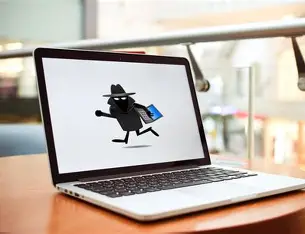
Buying a second-hand laptop in Ghana carries a risk that many buyers don’t think about until it’s too late: the laptop could be stolen. This is especially true for high-value devices like MacBooks and premium Windows laptops, which are frequently targeted due to their resale value.
A device might look perfectly fine on the outside, but the moment you try to set it up or the original owner locks it remotely, it becomes completely unusable.
This guide walks you through exactly how to protect yourself before you pay.
In this article
Stolen Laptops in Ghana: A Growing Problem
What Is a Blacklisted Laptop?
How to Check a Laptop’s Serial Number
Signs the Laptop May Be Stolen
How to Check If a Mac Has Activation Lock
How to Check If a Windows Laptop Is Locked
What to Do If You’ve Already Bought a Stolen Laptop
Safe Places to Buy Pre-Owned Laptops in Ghana
Stolen Laptops in Ghana: A Growing Problem
Laptop theft is a very real issue in Ghana. From campus thefts to office break-ins, and even imported stolen devices from countries like the UK and US, many of these laptops eventually find their way into the second-hand market. What makes this dangerous is that stolen laptops often don’t look suspicious.
They can be clean, fully functional, and even reset. The problem only shows up later when you try to set them up or when the rightful owner activates a remote lock.
MacBooks are especially vulnerable in this situation because of Apple’s security system. Once a stolen MacBook is locked using Activation Lock, it cannot be used again without the original owner’s Apple ID, even after a full reset. At that point, the laptop is essentially a very expensive paperweight.
What Is a Blacklisted Laptop?
A blacklisted laptop is one that has been reported stolen or restricted by its original owner or organisation. For Apple devices, this usually means Activation Lock has been enabled. This lock is tied directly to the owner’s Apple ID and cannot be bypassed through normal means.
On the Windows side, while the ecosystem is less centralised, there are still similar protections. Many corporate laptops come with security systems like BIOS locks or organisational device management. These restrictions can prevent access even after reinstalling Windows, especially if the device was previously owned by a company or institution.
How to Check a Laptop’s Serial Number
Every laptop has a unique serial number, and this is one of the most important tools you have when verifying a device’s legitimacy.
On a MacBook, you can find the serial number by clicking the Apple menu and selecting “About This Mac.” It is also printed on the underside of the device.
On a Windows laptop, you can open Command Prompt and type wmic bios get serialnumber to display it. Most devices also have it printed on a sticker at the base.
Once you have the serial number, you can check it through manufacturer websites or warranty portals to confirm whether the device has a valid history.
Signs the Laptop May Be Stolen
There are several warning signs that should immediately make you pause. A price that is far below market value is one of the biggest red flags. If a high-end laptop is being sold at a suspiciously low price, there is usually a reason.
Another common sign is a seller who cannot clearly explain where the laptop came from. Vague responses like “I’m selling it for someone” or inconsistent stories should make you cautious. Physical clues also matter. Look closely for removed stickers or faded markings where asset tags may have been peeled off these are often signs that the device belonged to a school, company, or institution.
You should also be wary if the seller is reluctant to let you perform checks. Verifying a laptop only takes a few minutes, so any resistance is a concern. Finally, if the laptop has a BIOS password or an unusual lock screen that the seller cannot bypass, it may be restricted or stolen.
How to Check If a Mac Has Activation Lock
When buying a used MacBook, checking for Activation Lock is non-negotiable. This is the single most important step you can take.
Ask the seller to completely erase the device in front of you. After the reset, the MacBook will restart and begin the setup process. If, at any point, it asks for an Apple ID and password that the seller cannot provide, the device is locked. Do not proceed with the purchase.
A legitimate, clean MacBook will go through the setup process without requesting any previous owner’s credentials. Always watch this process yourself before making payment never take the seller’s word for it.
How to Check If a Windows Laptop Is Locked
For Windows laptops, the process is slightly different but just as important. Request a full factory reset and observe what happens after the device restarts. If it asks for a Microsoft account or organisation login that the seller cannot provide, the laptop is likely tied to a company system.
You should also check the BIOS by entering it during startup. If a password is required and the seller cannot unlock it, that is a serious warning sign. Additionally, messages indicating that the device is managed by an organisation suggest that it may have restrictions that could affect your usage later.
What to Do If You’ve Already Bought a Stolen Laptop
If you’ve already purchased a laptop and suspect it may be stolen, the first step is to document everything. Take clear photos of the device, record the serial number, and keep any communication or receipts from the seller.
Next, report the issue to the Ghana Police Service. Providing the serial number increases the chances of tracing the original owner or confirming whether the device has been reported stolen.
You should also contact the manufacturer, such as Apple Inc. or Dell Technologies, to check the device’s status. Avoid any unofficial services that claim to bypass security locks these are unreliable, often illegal, and can lead to further loss.
Safe Places to Buy Pre-Owned Laptops in Ghana
The safest way to avoid all of these risks is to buy from a trusted source that verifies devices before selling them. Sellers that check serial numbers, confirm that Activation Lock is disabled, and allow payment on delivery give you the opportunity to inspect the laptop yourself before committing.
Platforms like MachineWura focus on this kind of verification, ensuring that devices are tested, clean, and ready for use. With options like pay on delivery in cities such as Accra and Kumasi, you can perform your own checks before making a final decision.
At the end of the day, buying a second-hand laptop is not just about getting a good deal it’s about making a safe one. A few extra minutes of checking can save you from losing thousands of cedis on a device you can’t use.
👉 Shop verified laptops at MachineWura
Related reads: MacBook or Windows: What Should Ghanaian Students Buy? · How to Check If an iPhone Is Stolen · Is It Safe to Buy a Phone Online in Ghana?
Looking for the best deals?
Browse our full collection of verified tech — all with pay-on-delivery and a 30-day warranty.
Thanks for reading!
Published March 11, 2025 · 6 min read