Laptops
Should You Buy an Intel MacBook in 2027? What Ghanaian Buyers Need to Know
Intel MacBooks fill Ghana's marketplaces, but macOS 27 no longer supports them. Here is which ones still make sense in 2027, which to avoid, and what the same money buys instead.
MachineWura Team
November 15, 2026 · 7 min read

For most people, no. In 2027 an Intel MacBook only makes sense if it is very cheap and you will use it for light tasks such as typing and browsing. Apple's macOS 27 runs only on Macs with Apple's own chips, so every Intel MacBook, from the 2015 MacBook Pro to the 2020 models, has already received its last major software update. Used Intel MacBook Pros from 2017 to 2020 are the most common MacBooks for sale in Ghana, and many sell for close to the price of a used M1 MacBook Air, which is faster, lasts twice as long on battery and is still fully supported. This guide explains what "end of support" means for you, which Intel models are least bad, and how to spot one in a listing.
Updated November 2026 for 2027 buyers. We update this guide whenever Apple releases new models or prices in Ghana shift.
Why are Intel MacBooks a risky buy in 2027?
From 2006 to 2020, every Mac used an Intel processor. In late 2020 Apple started making its own chips (M1, then M2, M3, M4, M5 and M6), and by 2023 every new Mac had one. Apple then told owners of Intel Macs that macOS Tahoe (version 26), released in 2025, would be the last version for them. macOS 27, released in 2026, installs only on Apple-chip Macs.
Three things follow from that:
- No new features. Intel MacBooks stay on the version they have now.
- Security fixes stop. Apple usually keeps fixing security problems in older versions for about two years, but does not promise a date. After that, every newly discovered weakness stays open. That matters if you use the laptop for mobile money on the web, online banking or work email.
- Apps move on. Browsers, Microsoft Office, Zoom, design tools and school software gradually require newer macOS versions. The first sign is an app saying "This version requires macOS 15 or later."
Which Intel MacBooks can run what?
| Model | Newest macOS | Status in 2027 |
|---|---|---|
| MacBook Pro 2015, MacBook Air 2015 and 2017 | Monterey (12) | No security fixes since 2024 |
| MacBook Pro 2016 and 2017 | Monterey (12) / Ventura (13) | No regular security fixes |
| MacBook Air 2018 and 2019 | Sonoma (14) | Fixes ending |
| MacBook Pro 2018, MacBook Pro 2019 13 and 15-inch | Sequoia (15) | Last version, fixes winding down |
| MacBook Air 2020 (Intel), MacBook Pro 2020 two-port | Sequoia (15) | Last version, fixes winding down |
| MacBook Pro 16-inch 2019, MacBook Pro 2020 four-port | Tahoe (26) | Last version, fixes for a while longer |
| Any MacBook with M1 or newer | Latest | Fully supported |
How do I know if a MacBook is Intel or Apple chip?
On the laptop, click the Apple menu, then About This Mac.
- Apple chip: shows "Chip: Apple M1" (or M2, M3, M4, M5, M6, or A18 Pro on the MacBook Neo).
- Intel: shows "Processor" followed by Intel Core i5, i7, i9 or similar.
In a listing, be careful with "MacBook Pro 2020" and "MacBook Air 2020". Apple sold both Intel and M1 versions that year in identical bodies. A listing that mentions "Core i5" or "i7" is Intel. Ask the seller for a photo of the About This Mac window.
When does an Intel MacBook still make sense?
There are honest cases:
- A very cheap backup laptop for typing, browsing and watching lectures, where you accept the security risk.
- A first laptop for a young child used offline or with supervision.
- Specific old software that needs an Intel Mac, such as older audio plug-ins or Windows through Boot Camp. Intel Macs can install Windows directly; Apple-chip Macs cannot.
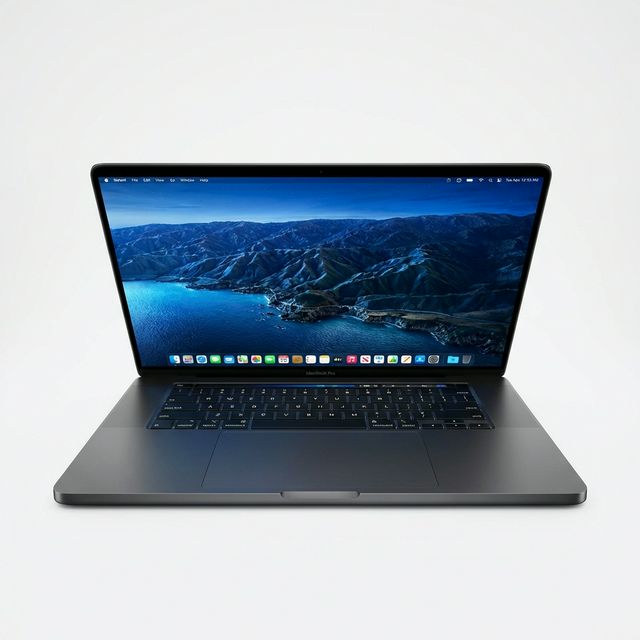
- The 16-inch 2019 MacBook Pro if you need a big screen and good speakers on a budget, knowing it is on its last macOS.
Avoid paying a premium for "Core i9" or "32 GB" on an Intel model. Those numbers sound powerful, but a basic M1 MacBook Air is faster at most everyday tasks and does not overheat.
A worked example: MacBook Pro 2019 or MacBook Air M1?
Suppose you have a budget that can buy either a used 13-inch 2019 MacBook Pro (Intel Core i5, 8 GB, 256 GB) or a used MacBook Air M1 (8 GB, 256 GB). On Ghanaian marketplaces they ask similar money; check current figures on our MacBook Pro price table and MacBook Air price table.
| MacBook Pro 2019 13-inch | MacBook Air M1 | |
|---|---|---|
| Speed in everyday apps | Slower | Faster |
| Heat and noise | Warm, fan often audible | Cool, no fan, silent |
| Battery on a healthy unit | Around 5 to 6 hours | Around 10 to 14 hours |
| Keyboard | Fragile butterfly design | Reliable |
| Newest macOS | Sequoia (last) | Latest |
Over a four-year degree, the M1 will still be receiving software updates while the 2019 Pro is falling behind. For a student in Ghana dealing with dumsor, the battery difference alone settles it. Read the full comparison: MacBook Pro 2019 vs MacBook Air M1.
What does the same money buy instead?
- A used MacBook Air M1: the best budget Mac for most people.
- A used MacBook Pro 13 M1: same chip, with a fan and a brighter screen.
- A brand new MacBook Neo: costs more than an old Intel Pro, but it comes with a warranty and a fresh battery, and it will get years of updates.
If you need Windows software for your course or job, a business laptop such as the Dell Latitude 7420 or HP EliteBook 840 G8 is a better use of the money than an Intel Mac running Windows.
Common mistakes
- Trusting "2020" in the title. Confirm Intel or M1 in About This Mac.
- Paying extra for Core i9. On thin MacBooks, i9 models run hottest and slow themselves down.
- Ignoring the keyboard. 2016 to 2019 13 and 15-inch models use the butterfly keyboard. Apple's free repair programme has ended, so a sticky key is now your bill.
- Skipping the battery check. Most Intel MacBooks in Ghana are five to ten years old. A swollen battery lifts the trackpad and is a fire risk.
- Not checking for locks. Activation Lock and company Remote Management make a MacBook useless. Use our used MacBook checklist.
Frequently asked questions
Will my Intel MacBook stop working in 2027?
No. It keeps working exactly as it does now. It just will not get new macOS versions, and in time security fixes and app updates stop.
Can I install macOS 27 on an Intel MacBook?
Not officially. Apple does not support it, and unofficial tools that force newer macOS onto unsupported Macs can be unstable and are not a good idea for a laptop you depend on.
Is a Core i7 MacBook Pro faster than an M1 MacBook Air?
For almost everything people do day to day, no. The M1 is faster at office work, browsing and photo editing, and far better on battery. Only some older Intel-only apps run better on Intel.
Should I sell my Intel MacBook now?
If you were planning to upgrade, sooner is better: Intel MacBook prices will keep falling as software support ends. MachineWura accepts trade-ins towards a newer MacBook.
Which Intel MacBook is the safest to buy?
The 16-inch 2019 MacBook Pro or the four-port 2020 13-inch MacBook Pro, because they reached macOS Tahoe and have the reliable Magic Keyboard. Even then, compare the price with a used M1 first.
MacBooks in stock


Buying from MachineWura
An online electronics store in Accra selling brand new and UK-used phones, laptops, creator gear and appliances.
Pay on Delivery in Accra
Inspect it at your door, then pay.
Checked before it ships
UK-used devices pass a 30-point check with at least 85% battery.
Fast delivery
24 hours in Accra, 2 to 3 days elsewhere in Ghana.
7-day returns
If it arrives defective or not as described.
Published November 15, 2026 · 7 min read