Phones
UK Used vs Refurbished vs New iPhone in Ghana
UK used means imported pre-owned, refurbished means repaired, brand new means sealed and never activated. The risks of each and the checks to do before paying.
MachineWura Team
March 11, 2025 · 11 min read
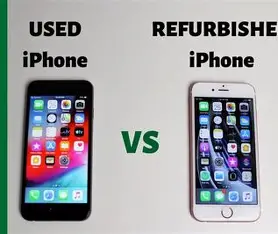
In Ghana, "UK used" means a pre-owned iPhone imported from abroad, "refurbished" means a used iPhone that has been repaired or restored by someone, and "brand new" means a sealed phone that has never been activated. None of the labels guarantees condition: a well-checked UK used iPhone can be a better buy than a badly refurbished one, and a "brand new" phone can turn out to be activated before. The safe approach is to treat every label as a claim and verify it with the same checklist before you pay.
Updated October 2026.
What do the labels really mean?
The words are used loosely, so start with clear definitions. This table shows what each label should mean and what it often hides.
| Label | What it should mean | What can hide behind it | Main risk |
|---|---|---|---|
| UK used | Pre-owned iPhone bought abroad (UK, US, Europe, Canada and elsewhere), imported for resale | Any imported second-hand phone, from near-perfect to heavily repaired | Worn battery, non-genuine replacement parts, locks |
| Refurbished (Apple Certified) | Restored by Apple with genuine parts, new battery and outer shell, in a new box with a one-year Apple warranty | Very rarely seen in the open market; the term is often borrowed | Paying for "certified" without proof |
| Refurbished (third party) | Repaired by an independent technician, here or abroad | Anything from a new battery to a new screen and housing of unknown quality | Unknown parts, poor water sealing, faults that appear later |
| Brand new | Sealed, never activated, full manufacturer warranty from your purchase | Opened and resealed units, phones activated abroad, display units | Warranty already running or not valid locally |
"UK used" tells you where a phone came from, not how good it is. The same goes for the other labels: what matters is the condition of the phone in your hand.
How does each type work, and who does it suit?
UK used iPhones
A UK used iPhone has had at least one previous owner abroad. Many are traded in or sold on when owners upgrade, then exported. Condition ranges widely: some have high battery health and no repairs, others have a replaced screen or battery, scratches, or a weak Face ID module.
Who it suits: most buyers who want a recent iPhone and are willing to inspect carefully. You get a model one to three years old for much less than new, with plenty of life left if the battery and parts are sound.
Watch for: US models from the iPhone 14 onward have no physical SIM tray and work on eSIM only. Check that your network supports eSIM and that you are comfortable with it before choosing one. Check also that the phone is not locked to a foreign carrier.
Refurbished iPhones
Apple Certified Refurbished iPhones are the gold standard: Apple replaces the battery and outer shell, tests the phone, puts it in a new box and gives a one-year warranty. They are sold through Apple's own channels, so a phone offered as "Apple Certified" by an ordinary reseller should come with proof.
Third-party refurbishment is far more common. The work might be a simple battery swap or a full rebuild with a new screen, back glass and housing. The quality of those parts decides how the phone performs. A non-genuine screen can be dimmer, less colour-accurate or less responsive, and a reopened phone may no longer resist water as it did.
Who it suits: buyers who get full disclosure of what was replaced, with genuine parts, from a seller who stands behind the work.
Brand new iPhones
A brand new iPhone is sealed, unused and not yet activated. Its warranty starts when it is first activated. It suits buyers who want the latest model, the full battery life and the full warranty period, and who will keep the phone for many years.
Watch for: units sold as new that were activated abroad, so the warranty has already started; display units; and phones imported through unofficial channels where local warranty service may not apply. The checks below reveal these.
Which should you buy?
Choose by budget, how long you will keep the phone, and how much checking you are prepared to do.
| Your priority | Best choice | Why |
|---|---|---|
| Most phone for your money | Well-inspected UK used | Recent model with healthy battery for much less than new |
| Longest life and full warranty | Brand new | Full battery, full warranty, latest software support window |
| Near-new condition, lower cost | Apple Certified Refurbished, if you can verify it | New battery and shell, Apple warranty |
| Lowest price, accepting more risk | Third-party refurbished with full disclosure | Only if parts and work are documented |
| Gift or first iPhone for a student | UK used iPhone 13 or later with high battery health | Good balance of performance, camera and longevity |
For a sense of models: an iPhone 13 is a common UK used choice that still runs current software well, while an iPhone 15 adds USB-C charging, a 48 MP main camera and a battery Apple rates for 1,000 complete cycles to 80% capacity, against 500 for iPhone 14 and earlier.
How do you check an iPhone before paying?
Use the same checklist whatever the label. It takes about 15 minutes and catches most problems.
Identity and locks
- IMEI: dial *#06#. The number must match Settings, then General, then About, and the box if there is one.
- Activation Lock: in Settings, tap the name at the top. It must be signed out. Ask the seller to erase the phone in front of you; after the reset, the setup screen must not ask for a previous owner's Apple ID.
- Remote management: during setup, a "Remote Management" screen means the phone belongs to a company or school. Do not buy it.
- Carrier lock: Settings, then General, then About, then Carrier Lock should say "No SIM restrictions".
- Stolen or blacklisted: our guide on how to check if an iPhone is stolen walks through every check.
Condition and parts
- Model number letter: in Settings, General, About, tap Model Number until it shows a code starting with a letter. M usually means a phone sold new at retail, F means refurbished by Apple or a carrier, N means a replacement unit from Apple, and P means a personalised (engraved) unit.
- Parts and Service History: in Settings, General, About, supported models show whether the battery, display or camera was replaced and whether the part is genuine. "Unknown Part" means a non-genuine or unverified replacement.
- Battery health: Settings, then Battery, then Battery Health (on recent iOS, under Battery). Read our iPhone battery health guide for what each figure means.
- Screen: open a white image and a black image at full brightness. Look for dead pixels, yellow patches, burn-in and lifting edges. Test touch across the whole screen by dragging an app icon to every corner.
- Face ID or Touch ID: set it up and use it several times.
- Cameras: test every lens, front and back, photo and video, and check for dust or fog inside the lens.
- Speakers, microphone, buttons and port: make a call, record a voice note, press every button, test charging.
- Originality: our guide on how to know if an iPhone is original covers the signs of a fake or clone.
Warranty status
- Enter the serial number at Apple's coverage check page (checkcoverage.apple.com). For a "brand new" phone, a coverage start date before you bought it means it was activated earlier.
Worked example: score two UK used phones
Give each phone points out of 10 on the checks that cost the most to fix. Any fail on a lock check ends the deal.
| Check | Phone A | Phone B |
|---|---|---|
| IMEI matches, no locks, no remote management | Pass | Pass |
| Battery health 85% or above (2 points) | 2 (89%) | 0 (78%) |
| Display shows as genuine, no marks (2 points) | 2 | 0 (Unknown Part) |
| Face ID works first time (2 points) | 2 | 2 |
| All cameras clear and working (2 points) | 2 | 2 |
| No dents, cracks or lifted screen (1 point) | 1 | 1 |
| Charging, speakers, mic and buttons work (1 point) | 1 | 1 |
| Score | 10 | 6 |
Phone B is not necessarily a bad phone, but it will need a battery soon and has a non-genuine screen. It is worth considerably less than Phone A, and you should either negotiate on that basis or walk away.
Battery maths helps too. A battery at 89% on an iPhone 13 still has a useful margin before it reaches 80%, and how long that lasts depends on how many cycles you use a day, heat and charging habits. At 78%, it is already below Apple's worn threshold.
What do you get from a reputable seller?
A reputable seller does these checks for you and shows the results, but you should still check. At MachineWura, every pre-owned device passes a 30-point inspection with at least 85% battery health before it is listed. In Accra, Pay on Delivery lets you inspect the phone at delivery, then pay; outside Accra, payment is made before dispatch.
Common mistakes
- Trusting the label instead of the phone. "UK used", "refurbished" and "brand new" are claims, not proof.
- Skipping the Activation Lock check. A locked phone cannot be used. Watch it being erased and set up.
- Buying a US iPhone 14 or later without checking eSIM. It has no SIM tray.
- Accepting "battery changed" without checking Parts and Service History. A non-genuine battery can show "Unknown Part" and may not report health.
- Checking the screen only in dim light. Faults show at full brightness on white and black images.
- Ignoring "Remote Management". A company-managed phone can be locked remotely.
- Paying a deposit before seeing the phone. Pay after inspection wherever you can.
- Not keeping a receipt. It should state the IMEI, condition and warranty terms.
Step-by-step before you pay
- Decide the model and condition you want, using the tables above.
- Ask the seller for the IMEI, battery health and any repairs in writing.
- Meet or take delivery in good light with time to check.
- Run the identity and lock checks first. Any failure ends the deal.
- Run the condition and parts checks and score the phone.
- Check warranty status with the serial number.
- Pay only when everything matches, and get a receipt with the IMEI.
Frequently asked questions
Is UK used iPhone the same as refurbished?
No. UK used means pre-owned and imported; refurbished means the phone has been repaired or restored. A UK used phone may or may not have been refurbished, which is why Parts and Service History matters.
Is a UK used iPhone reliable?
It can be very reliable if the battery is healthy, the parts are genuine and there are no locks. Check every item on the list above before paying.
How can I tell if a brand new iPhone was used before?
Check the coverage start date with the serial number on Apple's coverage page. A start date before your purchase means it was activated earlier.
What battery health is good for a used iPhone?
Look for 85% or higher for a phone you plan to keep for a couple of years. Below 80%, Apple considers the battery worn and you should budget for a replacement.
Do US iPhones work in Ghana?
US models up to iPhone 13 have a SIM tray and work if they are not carrier-locked. US iPhone 14 and later models are eSIM only, so check that your network supports eSIM first.
What does Unknown Part mean on an iPhone?
It means the battery, screen or camera was replaced with a part the phone cannot verify as genuine Apple. It does not always mean the part is bad, but it should lower the price and needs testing.
Looking for a checked iPhone? Browse phones, or message MachineWura on WhatsApp on 0550 314 351 with the model you want.
Phones in stock
Buying from MachineWura
An online electronics store in Accra selling brand new and UK-used phones, laptops, creator gear and appliances.
Pay on Delivery in Accra
Inspect it at your door, then pay.
Checked before it ships
UK-used devices pass a 30-point check with at least 85% battery.
Fast delivery
24 hours in Accra, 2 to 3 days elsewhere in Ghana.
7-day returns
If it arrives defective or not as described.
Published March 11, 2025 · 11 min read