
Accessories
Laptop Stand and Cooling Pad buying guide
A laptop stand raises the screen towards eye level so you stop bending your neck, and lets air flow under the laptop. A cooling pad adds fans to blow air at a laptop that runs hot. Most people need a stand; choose a cooling pad if your laptop gets hot during games, editing or long sessions.
Updated · 3 min read
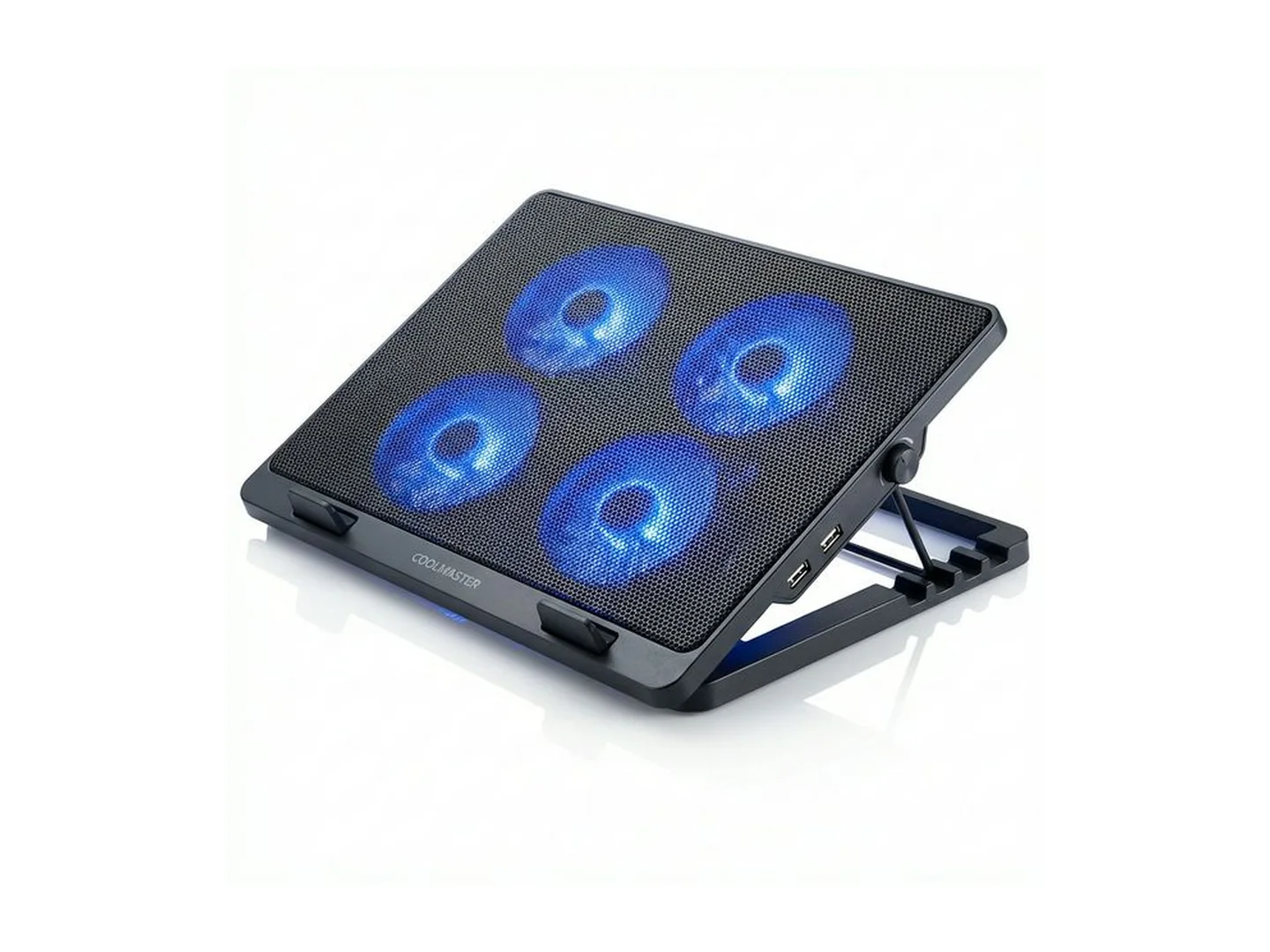
At MachineWura today
GH₵ 150 to GH₵ 200 · 2 in stock
Quick answer
- Neck or back ache from looking down? Get a laptop stand that lifts the screen to eye level.
- Laptop hot and loud, or slowing during games? Get a cooling pad with fans.
- With a raised stand you also need a separate keyboard and mouse.
- Check the stand or pad fits your laptop's size: 13, 14, 15.6 or 17 inches.
- A stand needs no power. A cooling pad plugs into a USB port.
Stand or cooling pad
| Laptop stand | Cooling pad | |
|---|---|---|
| Main job | Raises the screen, improves posture | Blows air to lower heat |
| Power | None | USB from the laptop |
| Noise | Silent | A soft fan sound |
| Best for | Office work, study, video calls | Gaming, video editing, hot rooms |
| Carry | Folds flat and light | Bulkier |
Why raise your laptop
A laptop on a desk puts the screen far below your eyes, so you bend your neck for hours. Raising the screen until its top edge is near eye level lets you sit upright. It also makes you look better on video calls, because the camera is at face height and not looking up at your chin.
Why laptops get hot
A laptop cools itself by pulling air in, usually from underneath, and blowing hot air out. On a bed, a lap or a cloth-covered table, the openings are blocked. Heat builds up, the fan gets loud, and the laptop slows itself down to stay safe.
A stand helps by simply keeping the underside clear. A cooling pad goes further by pushing extra air in.
What to look for in a stand
Height and angle settings. More settings make it easier to reach eye level for your height.
Sturdiness. Aluminium stands are light and firm. Set it to full height and tap the laptop: it should not bounce while you type.
Size and weight it holds. Check the largest laptop it takes.
Grip. Rubber pads stop the laptop sliding and stop the stand marking it.
Folding. A stand that folds flat goes in a laptop bag.
Open design. An open frame lets heat out from underneath.
What to look for in a cooling pad
Fan size and number. One large fan is quiet and moves a lot of air. Several small fans spread air across the base.
Where the fans sit. They should line up with the air openings under your laptop. Look underneath to see where yours are.
Speed control. Lets you turn the fans down for quiet work.
Extra USB port. The pad uses one port, so one that passes a port through keeps it available.
Tilt. Most pads have a few angles, which helps typing comfort.
Lights. For looks. They can usually be switched off.
Common mistakes
- Buying a stand and typing on the raised laptop. Add a keyboard.
- A pad too small for the laptop.
- Expecting a cooling pad to cure a dusty laptop. If it overheats on a table too, it needs cleaning inside.
- Using a laptop on a bed without anything under it.
Care
Wipe dust off the pad's fans with a dry brush or cloth. Keep the stand's hinges free of grit.
Complete the desk with our wireless keyboard and mouse guide. Gaming laptop running hot? See the gaming laptop guide.
Tell us your laptop size and we will suggest a stand or pad: WhatsApp MachineWura on 0550 314 351.
Laptop Stand and Cooling Pad in stock at MachineWura
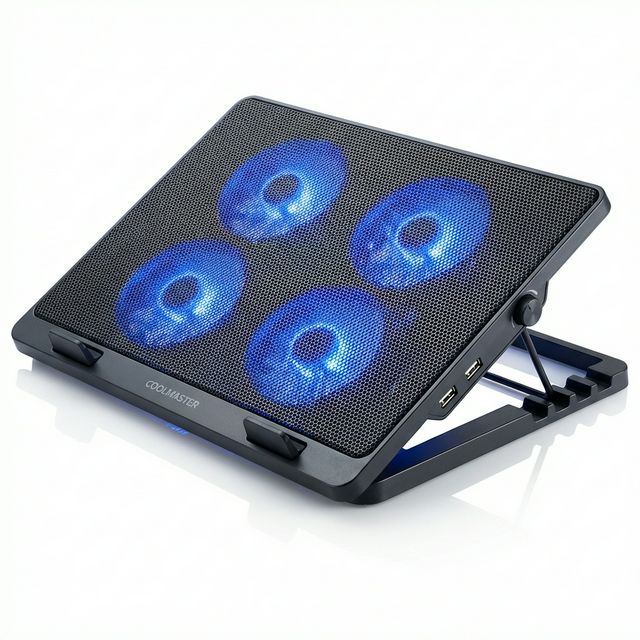
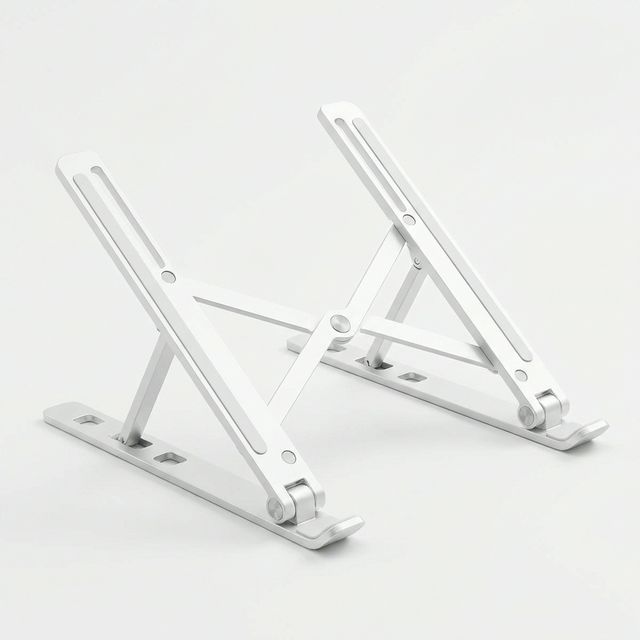
Typical laptop stand and cooling pad specifications
| Types | |
|---|---|
| Laptop stand | Raises and tilts the laptop; no power needed |
| Cooling pad | Has fans powered from a USB port |
| Check before buying | |
| Laptop size | Stand or pad should match 13, 14, 15.6 or 17 inch laptops |
| Adjustable height | Several height or angle settings |
Questions people ask
Do I need a laptop stand or a cooling pad?
If your problem is neck or back ache, or you want a tidier desk, get a stand. If your laptop gets very hot, its fan roars or games slow down after a while, get a cooling pad. Many cooling pads also tilt, so they do a little of both.
Does a cooling pad really help?
It helps most with laptops that draw air in from underneath, which is most of them. Expect the laptop to run somewhat cooler and quieter. It will not fix a laptop whose inside is clogged with dust; that needs cleaning.
Do I need a separate keyboard with a laptop stand?
For a raised stand, yes. Once the screen is at eye level the laptop's own keyboard is too high to type on comfortably, so add a separate keyboard and mouse.
Will a cooling pad drain my laptop battery?
A little. The fans take a small amount of power from the USB port. On mains power you will not notice; on battery, switch the pad off when the laptop is cool.
Is it bad to use a laptop on a bed or sofa?
Soft surfaces block the air openings underneath, so the laptop heats up. A stand, a cooling pad or even a tray keeps the openings clear.
Still deciding?
Tell us your budget and how you'll use it, and we'll tell you what's in stock and what we can source. WhatsApp 0550 314 351, or shop accessories.