
Laptops · Apple, 2017
MacBook 12-inch price in Ghana and specs
The 12-inch MacBook (2015 to 2017) is Apple's tiny, fanless Intel laptop with a single USB-C port and a butterfly keyboard. It is very light but slow by today's standards, and its newest macOS is Ventura (2017), Monterey (2016) or Big Sur (2015).
Updated · 4 min read
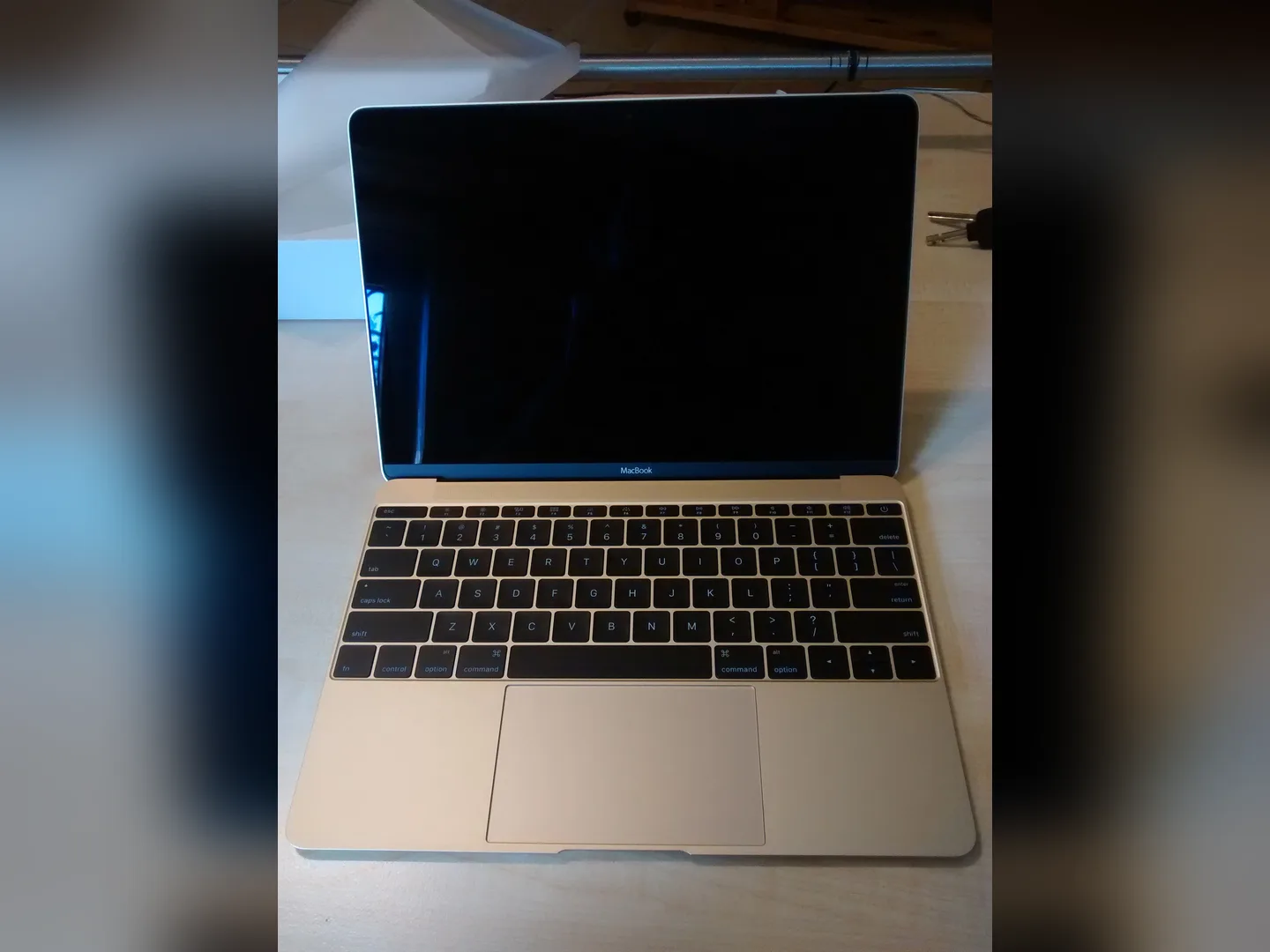
At MachineWura today
Not in stock · we can source one
Typical market price: GH₵ 2,800 UK used (checked November 2026)
Quick answer
- Who it suits: someone who values tiny size above everything, for typing and browsing only.
- Biggest weakness: slow, one port, fragile butterfly keyboard and no security fixes.
- Consider instead: the MacBook Neo, which is light, far faster and brand new.
What is the 12-inch MacBook?
Apple sold the 12-inch MacBook from 2015 to 2019 (the last update was in 2017). It weighs just 0.92 kg, has no fan and uses a single USB-C port for charging and accessories. It introduced the butterfly keyboard later used on MacBook Pros. Some listings in Ghana call it simply "MacBook 2015" or "MacBook 2017".
Is it worth buying in 2027?
Only at a very low price for light use. Apple has confirmed that macOS Tahoe (version 26) is the last version for any Intel Mac, and macOS 27 runs only on Macs with Apple's own chips. Apple usually keeps sending security fixes for about two years after a Mac's last major update, but it does not promise a date. Over time, apps such as browsers, banking tools and Microsoft Office also stop supporting older macOS versions.
Buying a used 12-inch MacBook: what to check
Most used MacBooks in Ghana come from the UK and US, often from companies replacing staff laptops. Many are in good shape, but some carry hidden locks that make them useless after a reset. Do these checks before you pay. Our full used MacBook checklist explains each one with pictures of what to look for.
- Confirm what you are buying. Click the Apple menu, then About This Mac. Check the year, the chip or processor, the memory and the storage match the listing. Copy the serial number and enter it on Apple's Check Coverage website (checkcoverage.apple.com) to confirm the exact model.
- Check Activation Lock. Hold Option, click the Apple menu, choose System Information, then Hardware. "Activation Lock Status" must say Disabled. If it says Enabled, the laptop is tied to someone else's Apple Account.
- Check for company control (MDM). Open System Settings > General > Device Management. It should be empty. A Mac still registered to a company shows a "Remote Management" screen after a reset and the company can lock it remotely. Cheap MacBooks on marketplaces are often this kind. Do not buy one unless the seller proves it has been released.
- Check for a firmware password. Shut it down, then hold Option while pressing the power button. If a padlock and password box appear, the previous owner locked it. Do not buy unless they unlock it in front of you.
- Look for a swollen battery. Put the laptop on a flat table. If the trackpad sits higher than the palm rests, does not click properly, or the bottom case rocks, the battery is swelling. That is a safety risk and a repair cost.
- Test the keyboard and trackpad. Open Notes and type every key, including the top row. Press the trackpad in each corner.
- Test the screen. Show a plain white page and a plain black page full screen. Look for dead dots, bright patches, and stain-like marks around the edges where the screen coating has worn.
- Test the ports, camera and sound. Charge from each port, plug in a flash drive, make a short video call and play music loud.
- Watch it being erased. Ask the seller to erase it (System Settings > General > Transfer or Reset > Erase All Content and Settings, or a fresh macOS install on older models). The setup screens afterwards must not ask for anyone's Apple Account or show Remote Management.
Every pre-owned laptop at MachineWura passes these checks plus a 30-point inspection before we list it.
Power, charging and dumsor
Expect 4 to 7 hours from a healthy battery.
Because it charges through USB-C, you can top it up from a power bank with a USB-C output of 30 W or more. A lower-powered bank still works, just slowly. A portable power station with a USB-C port charges it without needing its plug socket, which wastes less power.
Inverters and generators. The 30 W charger works on anything from 100 to 240 volts, so it handles Ghana's mains and normal swings. On a home inverter, a pure sine wave model is kinder to chargers. When running from a generator or unstable mains, plug into a surge protector.
Running cost. Even charging flat out, it uses at most 30 watts. 30 W for 3 hours is about 0.09 units (kWh) a day, which costs very little on an ECG prepaid meter.
Want a MacBook that has already been checked? See MacBooks at MachineWura, compare current MacBook Air prices and MacBook Pro prices, or message us on WhatsApp on 0550 314 351.
Typical macbook 12-inch specifications
| Display | |
|---|---|
| Screen | 12-inch Retina |
| Performance | |
| Processor | Intel Core M, m3, i5 or i7 (low power) |
| Memory & Storage | |
| Memory | 8 GB or 16 GB |
| Storage | 256 GB or 512 GB |
| Software | |
| Newest macOS | Ventura (2017), Monterey (2016), Big Sur (2015) |
| Ports | |
| Connections | One USB-C, headphone jack |
| Design | |
| Weight | 0.92 kg |
| Cooling | Fanless |
| Keyboard | Butterfly |
Compare the MacBook 12-inch
Questions people ask
Is the 12-inch MacBook worth buying in 2027?
Only as a very light typing machine at a low price. It is slow, has just one port for charging and everything else, and none of the models get security fixes any more.
Can the 12-inch MacBook charge from a power bank?
Yes. It charges through its single USB-C port, and even a modest USB-C power bank can charge it.
Still deciding?
Tell us your budget and how you'll use it, and we'll tell you what's in stock and what we can source. WhatsApp 0550 314 351, or shop laptops.